 PH
PH
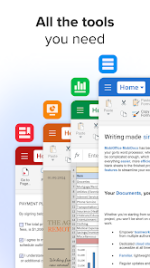
 App Description:
  MobiOffice: Word, Sheets, PDF v16.0.58388 [Premium] [Mod Extra]
 Powerful. Professional. Unstoppable.
---
 Your All-in-One Mobile Office Suite
 MobiOffice is the ultimate productivity powerhouse for Android — seamlessly view, edit, and create Word, Excel, and PowerPoint files, plus master advanced PDF tools. With a built-in file manager and cloud storage, it’s the most complete office solution on mobile.
 Trusted by Millions
 Preloaded on devices from Sony, Amazon, Sharp, Acer, Alcatel, Kyocera, Toshiba, and more.
 #1 Most Downloaded Office App on Google Play Exclusive Features You Won’t Find Anywhere Else 200+ Million Devices | 195+ Countries
  Award-Winning Excellence
 Google Play Editors’ Choice
Infoworld’s Top Mobile Office
Lifehäçker’s Best Android Office App
PCMag Editors’ Choice Award
---
 What’s New in MobiOffice 16?
 • Lightning-Fast Access: Open or create documents instantly with the new Quick Access notification drawer
• Flawless Writing: Integrated spell checker in 40+ languages
• Chromebook Ready: Enhanced mouse support for faster, smoother work
• Desktop Experience: Full Samsung S8 DeX dock compatibility
• Cloud Storage: Store up to 15GB with OfficeSuite Drive
• Sync Anywhere: Create a profile and sync settings across all your devices
• Multitasking Mastery: Work on two documents at once with split-screen & drag-and-drop (Android 7+)
• Multiple Docs Open: Juggle as many files as you need
• Custom Headers & Footers: Tailor your documents with ease
• Stunning Themes: Design eye-catching presentations
• Sheet & Cell Protection: Keep your spreadsheets secure
• Share Cast: Cast presentations to multiple devices on the same network
• Quick Sign: Sign PDFs instantly with your digital signature
---
 Work Smarter, Anywhere
 MobiOffice is built for professionals, students, and creatives who demand speed, security, and style. Whether you’re on a phone, tablet, or Chromebook, get the full desktop experience in the palm of your hand.
 Download Now & Take Control of Your Productivity!
  What's New: Thank you for using MobiOffice!
During this month, our primary focus has been on enhancing the speed and reliability of our application. Our aim has been to make it more refined, user-friendly, and seamless in its performance.
Enjoying MobiOffice? Remember to leave us a review.
 MOD Features:
 - • View, create and edit complex office documents using a familiar desktop-style interface
- • Full compatibility with Microsoft formats including DOC, DOCX, DOCM, XLS, XLSX, XLSM, PPT, PPTX, PPS, PPSX, PPTM, PPSM
- • Support for PDF files including PDF camera scanning, Export to PDF and Fillable forms
- • Additional support for common formats like RTF, TXT, LOG, CSV, EML, ZIP; (Open Office - ODT, ODS and ODP - support available as in-app purchase)
- • Text-to-Speech support for documents and PDFs
- • Integrated with File Commander for advanced synchronization and quick and easy access to both local and remote files
- • Sharing via cloud services like OfficeSuite Drive, Box, DropBox, Google Drive, OneDrive, Amazon Cloud Drive and SugarSync, as well as over email and Bluetooth
- • PDF security and editing features including digital signatures support, permissions management, text to PDF, and annotations
- • View documents the way they're meant to be seen with the Microsoft Compatibility Font Pack (available as an add-on).
- • Available in 68 languages
- • Security features - work with password protected files
- • Export PDFs to Word, Excel, or ePub and convert any file to PDF
- • Track changes with multiple authors support
- OfficeSuite granted permissions
- Premium Subscription / ρáíd features unlocked;
- Disabled / Removed unwanted Permissions + Receivers + Providers + Services;
- Optimized and zipaligned graphics and cleaned resources for fast load;
- Ads Permissions / Services / Providers removed from AndroidManifest;
- Ads links removed and invokes methods nullified;
- Ads layouts visibility disabled;
- Google Drive Cloud broken;
- Google Play Store install package check disabled;
- Debug code removed;
- Remove default .source tags name of the corresponding java files;
- Analytics / Crashlytics / Firebase disabled;
- Native crashlytics removed completely;
- Facebook ads bundled SDK removed completely;
- No active trackers or advertisements;
- Promo menu apps disabled;
- Promo popup ads to install Windows Office variant disabled;
- Promo popup to install File Commander disabled;
- Languages: Full Multi Languages;
- CPUs: armeabi-v7a, arm64-v8a, x86, x86_x64;
- Screen DPIs: 120dpi, 160dpi, 213dpi, 240dpi, 320dpi, 480dpi, 640dpi;
- Original package signature changed;
- Release by Balatan.
- Select all
 Download Link:
Download
Download Link:
Download