 PH
PH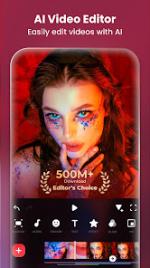
 App Description:
  InShot: The Ultimate AI Video & Photo Editor!
Unleash your creative potential with InShot, the powerful all-in-one editor designed for professionals and aspiring influencers alike. Create stunning videos, photos, and collages right from your device!
 Video Editing Powerhouse:
Harness AI-enhanced editing for seamless creation.
Add captivating music, text, and dynamic transition effects.
Master the art of smooth slow motion and video collage.
Blur backgrounds for a cinematic touch.
Perfect for making high-impact vlogs for YouTube, TikTok, Instagram, and more!
 Professional Photo & Collage Maker:
Effortlessly edit pictures and selfies.
Instantly remove backgrounds and apply trending filters.
Fine-tune colors with HSL adjustments.
Design stylish Instagram stories and posts that stand out.
Start creating content that gets noticed. Download InShot now!
(Requires Android 7.0+)
 What's New: - Teleprompter
- New transition pack: Paint
- More voice tones for AI speech
- Bug fixes and other improvements
 MOD Features:
- AI Tool
- AI Body Effects. Experience the magic of AI with instant presets that elevate your images and videos in just one tap.
- Auto Captions. AI-powered speech-to-text tool helps you say goodbye to manual text typing and makes video editing effortless.
- Auto Remove Background. Remove background of videos/photos at the touch of a button.
- Smart tracking. Make stickers/text move seamlessly in sync with your tracking object motion, adding dynamic flair to your videos.
- Smooth slow-mo. Experience seamless slow-motion effects for buttery smooth videos.
- Full-featured Video Editing
- Trim/Merge clips. Combine and compress video without losing quality.
- Reverse videos.
- Add text, emoji and InShot exclusive stickers.
- Add music, sound effects & voice-overs.
- Add various-styles voice effects.
- Adjust ratio. Fit your video and photo in any aspect ratio.
- Speed control. Speed up/slow down video. Add speed ramping.
- Keyframes editing. Add custome keyframe animations.
- Chromakey. Easily edit green screen video.
- Picture-in-Picture. Create multi-layered videos.
- Mixtures. Blend your video with blend mode.
- Color picker. Pick any color on the screen and apply it to the background/text.
- Filters, Effects & Transitions
- Lots of cinematic filters.
- Adjust video brightness, contrast, saturation, etc. Customized video filters and video effects.
- Unique effects such as Glitch, Fade, Noise, Beats, Weather, Retro DV, celebrate, etc.
- AI effects. Clone, stroke, auto-blur, etc.
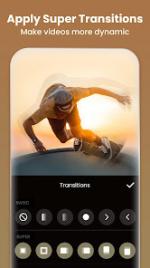
- Pro editing app with super transitions. Combine two clips with transition effects.
- Photo Editor & Collage Maker
- * Blur the background easily.
- * 1000+ stickers, funny memes, texts & backgrounds.
- * Turn blurry photos into HD with AI Photo Enhancer.
- * Remove unwanted objects effortlessly—choose between advanced AI or quick manual tools.
- * Easy-to-use photo grid collage maker. 100+ highly editable collage layouts available.
- * Pic Stitch. Horizontal, vertical, or automatically recognize subtitles.
- Canvas & Background
- Choose from various background patterns or upload your own pictures.
- Adjust video ratios for Instagram/TikTok/Youtube post.
- Easy to Share
- Custom video export resolution, HD pro video editor support 4K 60fps export.
- Share your daily life on social media: Instagram Reels, TikTok, Whatsapp Status, YouTube Shorts, etc.
- InShot is an editing app for videos and photos. With InShot - video maker with music, you can easily make basic video and even advanced assets like video collage, smooth slow motion, stop motion, reverse video and more. Share your vlogs to social media to get more likes, or edit video with music and pic for TikTok.
- Any questions for InShot (FREE slow motion video editor with music & photo slideshow maker)? Please contact us at
- InShot is not affiliated, associated, sponsored, endorsed by, or in any way officially connected with YouTube, Instagram, TikTok, WhatsApp, Facebook, Twitter.
 Download Link:
Download
Download Link:
Download