PH
PHKiNGxSPEED
Eternal Poster
I made this tutorial thread para sa mga hindi marunong magkonek sa wifi
Requirements
•Huawei Hilink
Link : You do not have permission to view the full content of this post. Log in or register now.
•Brain.apk
•Patience
**Procedure**
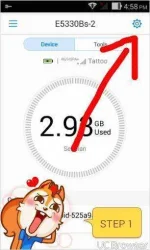
Step 1. Open si huawei hilink
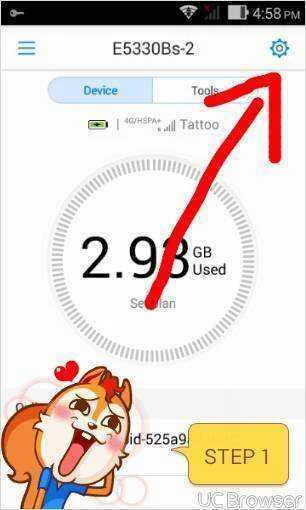
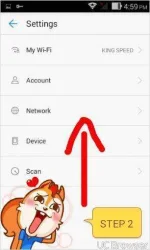
Step 2. Go to Settings>Network
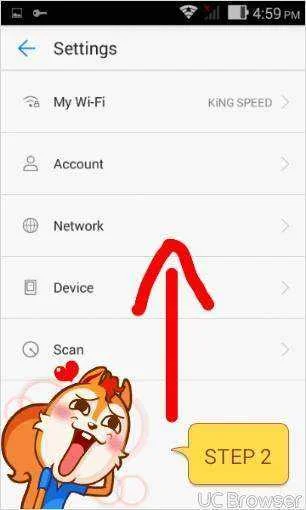
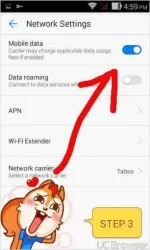
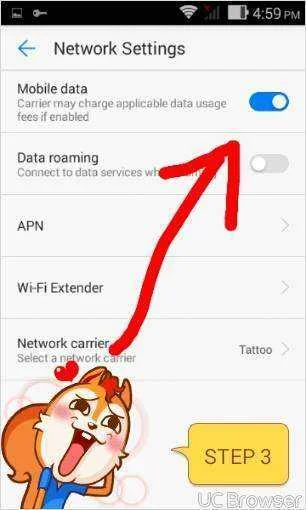
Step 3. And then off on mo si Mobile Data(look like cdc in data)
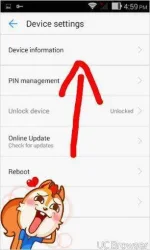
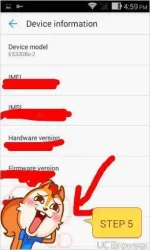
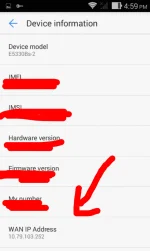
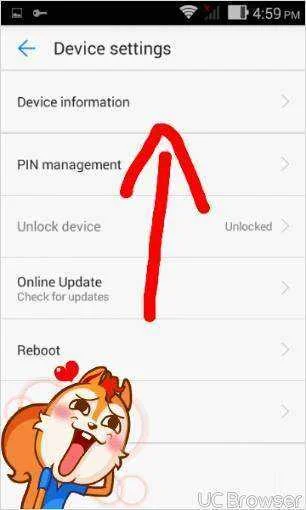
Step 4. Para malaman kung tama na ip address mo Go to Device>Device information
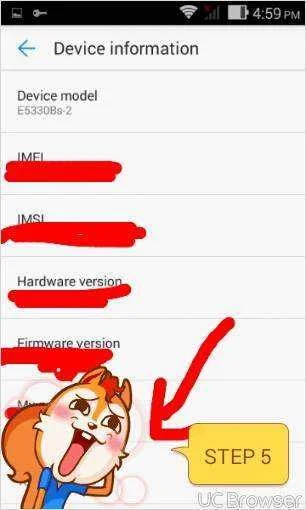
Step 5. Ito yung tamang ip address start from 10. or 100.117+ up
***Hit like and comment po or follow niyo na din po ako masaya nako "for my effort" for more tutorials or updates to come***
KiNGxSPEED
Requirements
•Huawei Hilink
Link : You do not have permission to view the full content of this post. Log in or register now.
•Brain.apk
•Patience
**Procedure**
Step 1. Open si huawei hilink
Step 2. Go to Settings>Network
Step 3. And then off on mo si Mobile Data(look like cdc in data)
Step 4. Para malaman kung tama na ip address mo Go to Device>Device information
Step 5. Ito yung tamang ip address start from 10. or 100.117+ up
***Hit like and comment po or follow niyo na din po ako masaya nako "for my effort" for more tutorials or updates to come***
KiNGxSPEED