❓ Help Converge Fiber Connection

mendozasebastian26

Eternal Poster
Hello po.. hingi po sana ako advise kung paano pabilisin tung Converge WiFi namin.

Currently 4 lan cables na po ang naka kabit dito. 2 Computer, 1 Router, and 1 TV.

Mejo ramdam na po namin yung spike ng connection. Sana may tuts jan kung paano pabilisin ito.

Thank in advance po
 
d nya na lagyan ksi d pwed...bossing
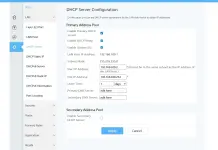
yes nagawa ko.. naka kita ako ng tuts kung papaano lagyan .. instead of root username gagamitin mo yung admintelecom .. from there pwede mo na palita yung DNS mo

However afer ko palitan mejo may something na nangyari sa browser ko.. biglang nag cucut yung internet connection ko.. kaya binalik ko nalang sa dati

ginamit kong DNS is 1.1.1.1 and 1.0.0.1
 
yes nagawa ko.. naka kita ako ng tuts kung papaano lagyan .. instead of root username gagamitin mo yung admintelecom .. from there pwede mo na palita yung DNS mo

However afer ko palitan mejo may something na nangyari sa browser ko.. biglang nag cucut yung internet connection ko.. kaya binalik ko nalang sa dati

ginamit kong DNS is 1.1.1.1 and 1.0.0.1
bumabagl ba sir?..ano kya mgnda ma dns...
 
hahhaa.. buti nlng naibalik p haha
oo hahahaha sibak sana :D


sa mga gusto mag try ito pala yung tuts

Username: telecomadmin
Password: admintelecom or Converge@huawei123
1762689499787.webp

kapag na edit mo na jan.. kapag login mo sa root user mo .. mag rereflect na kung ano binago mo jan

Edit on your own risk :)
 
hahaha oo wag na .. akala ko mas mapapabilis net ko hindi naman pala :D

Kinabahan din talaga ako kasi ginagamit ko tong PC sa work.. kung sakaling di ko nabalik agad mayayare ako :D
wala effect yan.. if need mo lang ng additional protection sa normal dns na gamit mo go... babagal talaga net mo kasi base sa ibang bansa ang cloudflare tapos nasa pilipinas ka malamang tataas ping mo malayo ehh
 
Gamit ka lang ng third-party router na may Smart Queue Management or any router kaya mag priorities ng gaming, social, streaming etc. at magsetup ng DNS 8.8.8.8 - 8.8.4.4 dahil yan sa buffering too many data packets or bufferbloat kahit 1Gbps pa yung plan mo if wala naman QOS useless din
View attachment 3955156

Pasingit na rin po. currently naka 1349 plan ako at eto yung stock modem EG8041X6-10. and may PLDT 5G Home wifi prepaid ako. oks lang ba route ko doon at off ko na lang wifi ng stock modem? malaking difference po ba if gagawin ko yun? thank you po.
 
:ALERTA: To All:

Try Here:

Access this following App and Site for Free, No ads and Bypass US restriction:
🍁YøùTùbé App (bypass No ads)
🍁TheTVapp (Watch Live Stream US Channels including Nba)
🍁Stremio App (Watch Any Movies for Free on iOS, Android or TV)
Download Stremio here: Stremio
Best Addons: Catalog & Torrentio

Other Premium App can Bypass:
If You Have U.S Account of this following:

🍁Disney Plus (US)
🍁Max (access nba live) (US)
🍁Nba League Pass (US)
🍁Sling (US)

By Adding DNS to your Device it will Bypass Streaming App and Sites Above (No Vpn Needed):
for Android :
1. Go to Settings > Network & Internet > Private DNS.
2. Select Private DNS provider hostname.
3. Enter: iba39ce1uj.dns.controld.com
4. Save.

for Android TV :
1. Go to Settings > Network & Internet > Wi-Fi.
2. Select your network, then Advanced Settings
3. Set IP Settings to Static.
4. Enter DNS 1: 76.76.2.102 DNS 2: 76.76.10.102
5. Save and reconnect.

for iOS :
1. Download the ControlD app from the App Store
2. Open the app and paste the resolver code: cwfl0h0tu5
3. Follow in-app instructions to configure DNS.

for Samsung TV :
1. Go to Settings > Network > Network Status.
2. Select IP Settings, set DNS Setting to Manual. 3. Enter DNS 1: 76.76.2.170 DNS 2: 76.76.10.170
4. Save and reconnect.

for Windows :
1. Open Settings > Network & Internet > Ethernet or Wi-Fi.
2. Click your connection, then Edit under IP Settings.
3. Set to Manual, enable IPv4.
4. Enter Preferred DNS: 76.76.2.119
Alternate DNS: 76.76.10.119
5. Save.
Click to expand...
for Mac :
1. Download the ControlD utility: controld_arm.dmg.
2. Install the utility and open it.
3. Copy and paste the resolver code: 1j0tvexjvat
3. Follow in-app instructions to configure DNS.

For Other TV (HiSense or other SmartTV that support DNS)
1. Go to Menu > Settings > Network > Network Configuration > Advance Settings
2. Go to IP Settings
3. IP Version should be IPV4
4. IP Setting Mode choose Manual
5. Enter DNS Server 1: 76.76.2.102
DNS Server 2: 76.76.10.102
6. Save
Click to expand...Note: The DNS use above is Valid Until May 4, 2026
🫥🎉
 
Anong speed ng internet ninyo?
Kami naka 400mbps ;)
Converge din fiberx...
Kaso hindi namin nakukuha kapag nagsabay sabay na ang sampu gumamit.
imagine kahit capable ang subscription mo ayaw ipagamit ng modem ni converge.
Hindi nya na optimize ang gamit ng kada user hinihigop ng pinakamalakas ;)
Solusyon?
Bumili ako ng gigabit router at switch pati cloud management para palagi bukas ang server kahit patay PC
doon ko ni manage ang buong network
Ngayon kayang kaya nya lahat magsabay sabay pa mag videoconference sa PC manood sa youtube netflix at disney sa TV habang may nag download at naglalaro pa ng ML at CODM ako Deltaforce ;)
Gamit ko TPLink Omada
OC200
ER605
SG2008
EAP110 at EAP115
plano pa lang magdagdag ng EAP610
tapos nagdagdag ako ng raspberry pi 5 para sa selfhosted dns at vpn para safe sa ads at malware ang buong network at para may storage na accessible ang files mo kahit nasaaang lupalop ka pa ;)
May naki kabit nga pala samin na kapitbahay lima sila lahat sila may slepon
may laptop at TV sila gumagamit ng eap115 nagpagapang lang ako ng cat6 cable at saksak sa gigabit switch ;)

in short
kaya mabagal yang internet nyo dahil sa modem ni converge ;)
Kaya para mailabas mo ang full potential ng binabayaran mo gamit ka kahit ng external router
mas madali kung yung wifi 6 na gaming router salpak gamit lang ;)
Di gaya ng ginawa ko
Mahirap kase aaralin mo lahat pero...

Worth it naman ;)

nga pala yang router na binigay ni converge may on/off switch yan kapag di mo ginagamit patayin mo para makapagpahinga or tutukan mo ng PC fan o clip fan madami sa shapi ;)
 
Na testing mo na ba TS ipag compare speed ng internet mo kapag hindi naka connect lahat ng devices vs. naka connect lahat kung may effect ba na bumabagal due to many devices connected? if ganon issue, overload na router mo, much better to connect another router, yung bilhin mo na is yung may MI/MO function na router.
 

Similar threads

About this Thread

  • 68
    Replies
  • 3K
    Views
  • 14
    Participants
Last reply from:
K-droiD

Trending Topics

Online now

Members online
1,123
Guests online
1,009
Total visitors
2,132

Forum statistics

Threads
2,278,736
Posts
28,985,446
Members
1,227,527
Latest member
dotzn
Back
Top