PH
PHSORA
A modular media player for iOS and macOS
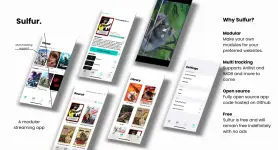
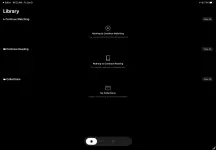
A modular media player for iOS and macOS
Features
- macOS 12.0+ support
- iOS/iPadOS 15.0+ support
- JavaScript-based module loader
- Download feature for offline watching (depends on the module you imported)
- HLS and MP4 format support with optional offline watching (via user-installed modules)
- Tracking services (AniList, Trakt)
- Apple Keychain support for auth tokens
- Support for personal media servers (e.g., Jellyfin, Plex)
- External metadata providers (TMDB, AniList)
- Background playback and Picture-in-Picture (PiP) support
- External media player support (VLC, Infuse, Outplayer, nPlayer, SenPlayer, IINA, TracyPlayer)
Installation
TestFlight (recommended):
- Download Testflight app in Appstore. (You do not have permission to view the full content of this post. Log in or register now.)
- Join the You do not have permission to view the full content of this post.
Log in or register now. after doing so install the app and done!
- If the slot is full you can install the Sora via sideloading.
- Done.
Sideloading
- If you are new to Sideloading, go to this thread it'll guide you how to sideload.
- If not, then download this You do not have permission to view the full content of this post. Log in or register now. and install this via KSign/Sidestore/Altstore etc.
- Done.
Module Installation
- Go to this You do not have permission to view the full content of this post. Log in or register now. pick a module of your choice and click "Add to Sora"
- After clicking it should redirect you to the Sora app (if there is a promt just accept it)
- If not copy the link beside the "Add to Sora"
- Open Sora App head to Settings Tab inside the Modules click the Plus ( + ) sign, paste the copied link and click add.
- Done.