PH
PHPHC- Naksu
Elite

- 10/26/2025 – AIO VERSION UPDATE 32-2 [Final Release]
- Update OS Build 1904X.6456
- Update .NET Framework
- Update Windows Recovery
- Update Bootable Driver (ISO)
- Fixed DEF
- Fixed Windows Setup
FEATURES
– Compact Integrated + LZX (algorithm)
– Forced .NET Framework 4.0/4.5/4.6/4.7/4.8
– Bloatware FREE!!
– Optimized Pagefile/Services/Scheduled/Search Indexer
– Privacy Optimizations & Performante mode!
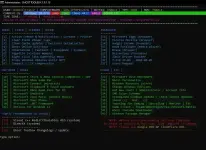
– Ghost Toolbox! (Add or Remove Windows Store and Much More!)
– Support any Other Language & Keyboard
– Support UWP Games / UWP Apps (ex. Forza/GOW/etc etc)
– Stock Drivers is not removed
– Dark theme by default
– Updatable (can update to latest build windows10 version 2004/2009/21H1)
– Window update can be paused until 2050!
– GHOST CUSTOM BOOTABLE! (WPE)
– Windows 10 Themes
– Windows 10 iconpacks and much more!
REMOVE/DISABLES COMPONENT
– Removes Windows Apps and System Apps
– Removes Windows Security / Defender / Smartscreen
– Disable Remote Desktop / Tablet keyboard / NFC / Clipboard / Focus Assist – (Superlite only)
– Disable Print spooler (If you need printers please set Auto in Services)
– Removes OneDrive
– Disable Action Center / Notifications – (Superlite only)
– Disable Telemetry – (Superlite only)
– Removes Errors reports – (Superlite only)
– Disable UAC (Never notify)
– Removes WinSxS backup
– Removes Winre (can add using Ghost Toolbox)
Known issues:
• Since the latest update, the printer doesn't work on the admin account.
Notes:
• Highly recommended to Install Compact version for printing, work, office, etc.
• Upgrade only support on GhostSpectre Windows 10. Another mod or version can not be support.
• After upgrade some of software may not working properly, you need to re-install again.
• The old link or old version will no longer be uploaded.
Versions during installation:
1. WINDOWS 10 PRO + COMPACT x64 – NOT stripped down windows, only removing applications/unnecessary programs – for ordinary users – suitable for office work, laptops, tablets, servers, etc.
2. WINDOWS 10 PRO + COMPACT + DEF x64 – The same as in point 1. But Windows Defender is enabled.
3. WINDOWS 10 PRO + SUPERLITE x64 – This version is already configured – for advanced users – suitable for games and streaming.
4. WINDOWS 10 PRO + SUPERLITE + DEF x64 – The same as in point 3. But Windows Defender is enabled.
5. WINDOWS 10 PRO + SUPERLITE SE x64 – The same as in point 3. But the Start menu has been added as in Windows 7.
6. WINDOWS 10 PRO + SUPERLITE SE + DEF x64 – The same as in point 5. But Windows Defender is enabled.
The StartIsBack++ program is responsible for Start in the SUPERLITE SE version
25-Oct Updates for Windows 10 Pro download ISO here
Windows 10 22H2 Update 32 1904X.6456