❓ Help Windows w11, no display

Status
Not open for further replies.
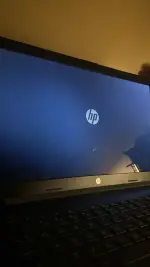
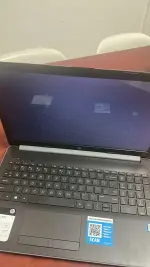
Mga boss ano kaya problem ng laptop kapag mag-iinstall ng OS.

Working naman lahat pati SSD pero pag naselect na yung iso file, wala siyang display pero may ilaw naman yung screen.

I tried different version of windows iso pero loading lang sya sa logo, 2hrs na wala pa rin.

Ventoy po gamit ko. Sana may makatulong, kailangan lang maayos yung laptop. 😭
82C79C83-D15E-4B6E-BC27-0F23575081CD.webp
A8B16141-6A5F-40C4-AD48-D9D07A1D5EB6.webp
 
Mag Rufus ka na lang.
@iamjherzel

the pblm is with the ventoy(not all iso's supported by ventoy)
ventoy is a great tool but it needed to update the ventoy usb drive to updated version regularly

better use
Rufus or
windows 7 usb dvd download tool or
windows media creation tool

use a fresh usb(flash) drive, all data will be erased for creating a bootable windows iso drive(usb)

now u don't have any pblm
try it
try mo create ulit ng bootable device mo pero ibang app naman try mo rufus or yumi
Nasubukan ko na rufus, ventoy at yung media creation tool, same same pa rin. Trinay ko na rin sa dalawang usb port. Bago po yung flashdrive na gamit ko. Yung iso file na gamit ko is sa mismong microsoft. Tested ko na po sa isang lappy namin using ventoy. Possible ba hardware na prob?
 
Nasubukan ko na rufus, ventoy at yung media creation tool, same same pa rin. Trinay ko na rin sa dalawang usb port. Bago po yung flashdrive na gamit ko. Yung iso file na gamit ko is sa mismong microsoft. Tested ko na po sa isang lappy namin using ventoy. Possible ba hardware na prob?
nakaka pasok ka naman sa bios eh, hmmmm try mo nga create ng bootable device using yumi
 
Status
Not open for further replies.

Similar threads

About this Thread

  • 36
    Replies
  • 988
    Views
  • 16
    Participants
Last reply from:
7thzign

Trending Topics

Online now

Members online
611
Guests online
932
Total visitors
1,543

Forum statistics

Threads
2,278,434
Posts
28,983,293
Members
1,228,396
Latest member
me3
Back
Top