 PH
PH-
Welcome to PHCorner Forums! Sign up for free to unlock full access and exclusive privileges, including:
- Asking questions about computer and mobile issues
- Discovering internet tips for your mobile network and computer
You are using an out of date browser. It may not display this or other websites correctly.
You should upgrade or use an alternative browser.
You should upgrade or use an alternative browser.
❓ Help Windows 10 nag la log minsan
- Thread starter DudsKie3
- Start date
- Status
- Not open for further replies.
Man with No Name
Forum Guru
For the lag issue:
Hope this helps.
- increase your computer's RAM (up to 8GB or 16GB if possible)
- scan your system for malware; uninstall bloatware
- configure automatic Windows updates (either pause or disable it temporarily)
- backup your files, format, and do a fresh install of Windows (this is EXTREME and LAST RESORT only)
- open your computer case and physically inspect the components and connections for any problem (heat issues, dust buildup, fans/proper airflow)
Hope this helps.
Yes po minsan pag nag log nag be bepPanong tunog ts? yung beep?
Pano po yong re paste sa bios ok naman ang healt ng storage 100% pacheck mo temp sa bios, baka need mag repaste or check ng storage baka low health na
Salamat po sa tipsFor the lag issue:
For the sound/noise issue:
- increase your computer's RAM (up to 8GB or 16GB if possible)
- scan your system for malware; uninstall bloatware
- configure automatic Windows updates (either pause or disable it temporarily)
- backup your files, format, and do a fresh install of Windows (this is EXTREME and LAST RESORT only)
- open your computer case and physically inspect the components and connections for any problem (heat issues, dust buildup, fans/proper airflow)
Hope this helps.
Yan po pc po kasi, ito at hnd po activated ang windows nong unang pag install ko ng os windows 10 ok naman pero ng tumagal nag lo log na minsan may tatlong tunog na bep pag, nag logAnu specs ng cpu/laptop mo?
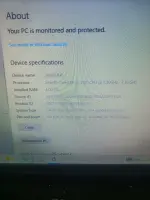
sa specs pa lang mabagal talaga. pag asa mo niyan mag palit nung lite win 7 os
Yan po pc po kasi, ito at hnd po activated ang windows nong unang pag install ko ng os windows 10 ok naman pero ng tumagal nag lo log na minsan may tatlong tunog na bep pag, nag log
View attachment 3916257
Kaya pala ok naman ito nong win 7pa kaso nasira na HDD nya kaya nag palit ako ssd San po ako makakuha ng lite win7?sa specs pa lang mabagal talaga. pag asa mo niyan mag palit nung lite win 7 os
Pc po ito try ko nga bumili ng additional ram2nd gen sandy bridge i3 cpu laptop--- add ka ng additional 4gb ram para 8gb ang total ram kasi malakas kumain ng ram ang system ni win 10.... kaso mahirap na yata hanapin yun ganyan memory module
- Status
- Not open for further replies.
About this Thread
-
12Replies
-
345Views
-
6Participants
Last reply from:
DudsKie3
DudsKie3
New Topics
-
INTERNATIONAL WEBINAR AND 2 LOCAL SEMINAR
- Started by PHC-JIA
- Replies: 0
- ❓ Computer Discussion & Support
-
Pa req po AtmosFX for Halloween
- Started by YowGaming
- Replies: 0
- ❓ Computer Discussion & Support
-
Door Lock Keycard SDK
- Started by Porky Chao Fan
- Replies: 0
- ❓ Computer Discussion & Support
-
Counter strike sa mac
- Started by AYuna23
- Replies: 0
- ❓ Computer Discussion & Support
-
Booting Issue - FA506NFR
- Started by Impossible
- Replies: 0
- ❓ Computer Discussion & Support
-
Acrobat Pro DC ρá†ch. Need Help
- Started by skullkrasher99
- Replies: 3
- ❓ Computer Discussion & Support
-
Enlighten me please with these two
- Started by Jeii
- Replies: 4
- ❓ Computer Discussion & Support
-
Win 10 Home keys
- Started by Ali246
- Replies: 6
- ❓ Computer Discussion & Support
Trending Topics
Online now
- Members online
- 571
- Guests online
- 9,419
- Total visitors
- 9,990