PH
PHrainych_ran
Contributor
Quillbot Premium Free Lifetime Access [2025 Method] (Still working)
Steps:
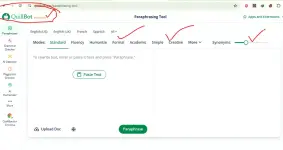
1. Open Quillbot Website (You do not have permission to view the full content of this post. Log in or register now.)2. Signing With Your Free Version Account
3. Install Cookie Editor Extenstion From Web Store (You do not have permission to view the full content of this post. Log in or register now.)
4. Install Request URL Blocker Extention (You do not have permission to view the full content of this post. Log in or register now.)
5. Click & Open Request Url Blocker Extension And Set Password
6. Now Add This Url Into Blocker ( quillbot.com/api/auth/get-account-details )
7. Now Open Quillbot Website & Than Open Cookies Editor Extention.
8. Now Search For premium cookie block
9. Open This And Replace Value With true
10. Done! Now Just Refresh And Enjoy Quillbot Premium For Lifetime
Extensions:
Request Url Blocker:
Cookies Editor:
How To Edit Cookies!
Step 1:Find premium Cookies Section
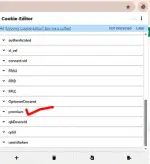
Step 2:
Click On This And Replace false Value With true
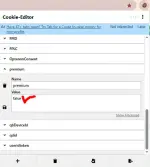
Step 3:
Click On Save And Then Refresh The Page
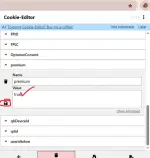
Done!
Now You Will See, You Have Quillbot Premium Access Free For Lifetime