PH
PH VIP SNIPHER VPN PRO
 Latest Config Version: v3.0.184 Now with 4 Singapore High-Speed Servers OVPN GTM No Load High SpeedOVPN PISO WIFI NU HULOG FAST
 Use with: VIP SNIPHER + dnstt-client
 GTM PISO WIFI No Load Setup Guide (OVPN + DNSTT for 2025)
 Install
 dnstt-client You do not have permission to view the full content of this post.
Log in or register now.
You do not have permission to view the full content of this post.
Log in or register now. Enable Background Activity
 Long-press
 dnstt-client icon → App Info → Battery → Allow background activityOpen dnstt-client Tap the
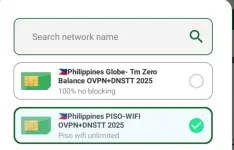
 + (upper right corner)Add Raw” (lower left)Paste one of the following servers PISO WIFI Servers
 SG1
SG1
Code:
dnstt-client -udp 10.0.0.1:53 -pubkey 22e8953a37cb3195cdd31fa05a0f6a2630b9520049088b35122152ffa52ccf62 vip2.kagerou.site 127.0.0.1:8888
Code:
dnstt-client -udp 10.0.0.1:53 -pubkey 22e8953a37cb3195cdd31fa05a0f6a2630b9520049088b35122152ffa52ccf62 vip3.kagerou.site 127.0.0.1:8888
Code:
dnstt-client -udp 10.0.0.1:53 -pubkey 22e8953a37cb3195cdd31fa05a0f6a2630b9520049088b35122152ffa52ccf62 vip1.kagerou.site 127.0.0.1:8888```
dnstt-client -udp 10.0.0.1:53 -pubkey 22e8953a37cb3195cdd31fa05a0f6a2630b9520049088b35122152ffa52ccf62 vip4.kagerou.site 127.0.0.1:8888
###
 Huling Step mga ka-freenet
 Start
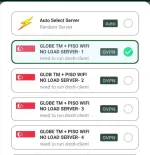
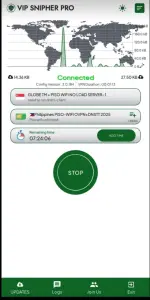
Start dnstt-clientOpen VIP Snipher → Connect to GTM PISO WIFI OVPN (No Load) SERVER **NOTE**__
 Make sure Power Saving Mode is OFF for
 dnstt-clientEnable 'Run in Background' for stabilityIf browsing fails, switch to Flight Mode, then reconnect
 Enjoy and happy freenet
 Watch Full Video Tutorial
 You do not have permission to view the full content of this post.
Log in or register now.Download VIP Snipher ProYou do not have permission to view the full content of this post.
Log in or register now.
You do not have permission to view the full content of this post.
Log in or register now.Download VIP Snipher ProYou do not have permission to view the full content of this post.
Log in or register now. Addtime 20x a day to maintain our server