PH
PHDiego Mendoza
Elite
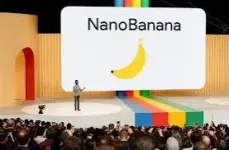
Nano Banana is an innovative creative tool empowering users to transform their ideas into reality with unparalleled ease and versatility. Whether enhancing photos, generating new artistic concepts, or streamlining complex editing tasks, Nano Banana leverages cutting-edge technology to help creators of all skill levels achieve professional results in minutes.
In the list below, discover 50 actionable and inspiring ways to use Nano Banana—each step offering a fresh method to unlock creativity, improve workflows, or realize unique visions. From restoring old photos to illustrating book covers or preparing assets for AR/VR, these steps serve as a practical guide for artists, designers, marketers, and storytellers eager to explore the full potential of Nano Banana.
50 Genius Ways to Use Nano Banana
- Annotate the real world: Overlay facts on street photos or building shots.
- Photo restoration & colorization: Restore black-and-white or damaged photos with color and sharpness.
- Merge photos into new scenes: Combine shots into seamless moments or creative backgrounds.
- Step-by-step image editing: Sequence edits so each builds on the last—great for design or prototyping.
- Transfer styles between images: Move textures, fabrics, or art styles between pictures.
- Remove people from photos: Clean up crowds or distractions from images.
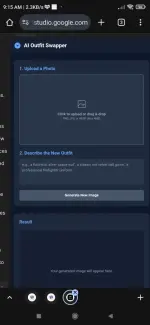
- Replace outfits: Instantly switch between different outfits, uniforms, or costumes.
- Multi-image fusion: Blend multiple photos into a single, artistic output.
- Area-specific effects: Apply styles or edits to only a section of an image.
- Clean up crowded photos: Remove background strangers, clutter, or photobombers.
- Change backgrounds instantly: Drop subjects into fantasy or real-world scenes with a single click.
- Meme & comic panel generation: Make funny memes or comic strips from casual photos.
- Concept art brainstorming: Generate quick, creative variations for character or environment designs.
- Perfect product mockups: Preview logos, packaging, or merchandise on product images.
- Interior design previews: Try out wall colors, furniture, or layouts before buying.
- AI fashion lookbooks: Build styled outfit collections for campaigns or personal use.
- Hyper-realistic portrait editing: Sharpen, enhance, and beautify portraits with cinematic effects.
- Illustrate book covers & posters: Turn sketches or drafts into polished, print-ready visuals.
- Historical photo recreation: Modernize old or archival images with new textures and colors.
- Pet portrait makeovers: Transform pets into royalty, astronauts, or superheroes.
- Smart object removal: Erase trash bins, wires, and signs without harming the background.
- AR game & filter assets: Instantly create stickers, masks, or 3D assets for augmented reality.
- Logo & branding visualization: Mock up logos on products, merchandise, or signage.
- Storyboarding film scenes: Turn sketches or photos into cinematic storyboard frames.
- Virtual travel posters: Place people into dream destinations or fictional places.
- Instagram aesthetic feeds: Batch-edit to create coherent, stylized photo collections.
- Tattoo preview on skin: See how tattoo designs look before inking.
- AI art for music videos: Generate animated visuals for music and lyrics.
- Moodboard generation: Unify inspiration shots into a single visual board.
- Build AR-ready scenes: Prepare layered 2D scenes for AR/VR applications.
- Digital collage maker: Quickly blend various elements for creative digital collages.
- Historical scene reconstruction: Rebuild historically accurate environments and scenes.
- Document scanning and enhancement: Digitize and clean up documents for sharing or archiving.
- Animated character rigging: Automatically pose characters for animation.
- Rapid meme generator: Quickly generate new meme styles and templates.
- POS display visualization: Preview retail/shelf displays or signage in virtual spaces.
- Social media post optimization: Adjust images for perfect fit on different platforms.
- Greeting card designer: Make custom visuals for digital or printed cards.
- Digital scrapbooking tools: Organize and beautify personal photo albums.
- Crowd simulation for events: Fill out scenes with photo-realistic crowds.
- Fashion accessory try-on: Instantly preview jewelry, glasses, or hats on photos.
- Animated GIF creator: Turn photo sequences into shareable, stylized GIFs.
- Educational diagram builder: Create labeled diagrams and classroom visuals from images.
- Real-time sign language overlay: Add animated sign interpreters to videos.
- 3D model texture mapping: Instantly create textures for 3D models.
- Interactive comic book builder: Build complete comic pages with speech bubbles and panels.
- Seasonal filter creator: Apply holiday or event-themed overlays to images.
- Visual recipe creator: Make step-by-step, illustrated recipes from food photos.
- AR scavenger hunt assets: Design custom AR clues, icons, or objects for games.
- Virtual pet creator: Combine animal traits to create unique virtual pets.
Feedback lng sapat na

Nano Banana
Fashion Studio
Profile Picture Generator
Snapshot Generator
Seedream 4
Change Nano Banana Aspect Ratio