🔑 Code/Key SPOTIFY PREMIUM 4/3/2 BUWAN LIBRE! (Direct Links) #14

Vibnz

Elite
You do not have permission to view the full content of this post. Log in or register now.

PAANO I-CLAIM:
1. Gumamit ng BAGONG Spotify account
2. I-click ang link
3. Huwag gumamit ng VPN
4. Pumili ng payment method (GCash/ShopeePay/etc.) - ₱0.00 sa buong trial period!

MGA DAPAT GAWIN PAGKATAPOS MA-CLAIM:
1. Clear data ng Spotify app (sundin ang steps sa ibaba)
2. Gumawa ng playlist → I-download
3. Mag-set ng reminder 3 days before trial end

TUTORIAL: PAANO I-CLEAR DATA NG SPOTIFY APP
(Para hindi mawala ang Premium)

ANDROID:
1. Pumunta sa Settings > Apps > Spotify
2. Pindutin ang Storage
3. I-tap ang:
- Clear Cache (muna)
- Clear Data
4. Buksan ulit ang Spotify at mag-login

iOS (iPhone):
1. I-uninstall ang Spotify app
2. I-restart ang iyong iPhone
3. I-reinstall ang Spotify mula sa App Store
4. Mag-login gamit ang bagong account

CANCELLATION REMINDER:
⏰ "Cancel 1-2 days BEFORE end date para hindi ka mabilled!"
❌ "Huwag i-cancel agad - mawawala ang Premium!"

KAPAG MAY ERROR:
❌ "Sorry not eligible" = Na-claim na ng iba (isang beses lang magagamit ang link!)
❌ "Offer not available" = Subukan sa Incognito browser!

SOLUSYON:
1. Sa Chrome/Firefox: Buksan ang link sa Incognito tab
2. Gumawa ng BAGONG Spotify account
3. Ulitin ang proseso
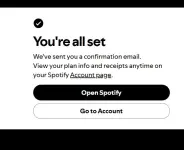
 
lods sana mabigyan den nawala po ibang premium nag ka ads po sana po mabiyayaanden
You do not have permission to view the full content of this post. Log in or register now.
Para hindi na maulit yan..

MGA DAPAT GAWIN PAGKATAPOS MA-CLAIM:
1. Clear data ng Spotify app (sundin ang steps sa ibaba)
2. Gumawa ng playlist → I-download
3. Mag-set ng reminder 3 days before trial end

TUTORIAL: PAANO I-CLEAR DATA NG SPOTIFY APP
(Para hindi mawala ang Premium)

ANDROID:
1. Pumunta sa Settings > Apps > Spotify
2. Pindutin ang Storage
3. I-tap ang:
  • Clear Cache (muna)
  • Clear Data
4. Buksan ulit ang Spotify at mag-login

iOS (iPhone):
1. I-uninstall ang Spotify app
2. I-restart ang iyong iPhone
3. I-reinstall ang Spotify mula sa App Store
4. Mag-login gamit ang bagong account
 
[Hidden content]
Para hindi na maulit yan..

MGA DAPAT GAWIN PAGKATAPOS MA-CLAIM:
1. Clear data ng Spotify app (sundin ang steps sa ibaba)
2. Gumawa ng playlist → I-download
3. Mag-set ng reminder 3 days before trial end

TUTORIAL: PAANO I-CLEAR DATA NG SPOTIFY APP
(Para hindi mawala ang Premium)

ANDROID:
1. Pumunta sa Settings > Apps > Spotify
2. Pindutin ang Storage
3. I-tap ang:
  • Clear Cache (muna)
  • Clear Data
4. Buksan ulit ang Spotify at mag-login

iOS (iPhone):
1. I-uninstall ang Spotify app
2. I-restart ang iyong iPhone
3. I-reinstall ang Spotify mula sa App Store
4. Mag-login gamit ang bagong account
salamat lods dito
 

About this Thread

  • 5
    Replies
  • 94
    Views
  • 4
    Participants
Last reply from:
moumin

Trending Topics

Online now

Members online
1,125
Guests online
4,347
Total visitors
5,472

Forum statistics

Threads
2,290,808
Posts
29,066,789
Members
1,211,536
Latest member
Shadow112192
Back
Top