PH
PH

Process using LAPTOP/PC: (Pero pwede rin naman siguro sa phone gamit lang browser na may cookies like KIWI BROWSER)
Open You do not have permission to view the full content of this post. Log in or register now. website.
1. Sign in mo lang account mo kahit old gmail gumana naman sa'kin.
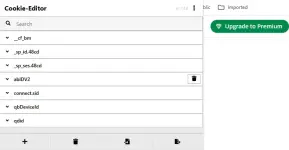
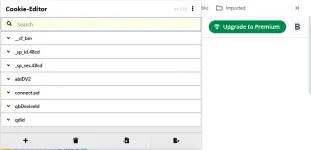
2. Install Cookie Editor Extenstion From Web Store You do not have permission to view the full content of this post. Log in or register now. - sa mga nagamit ng cookies diyan sa NF etc.. for sure naka install na'to sa inyo
 .
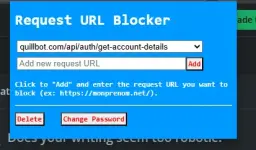
.3. Install Rquest URL Blocker Extention You do not have permission to view the full content of this post. Log in or register now..
4. Click & Open Request Url Blocker Extension And Set Password.
5. Now Add This Url Into Blocker ( quillbot.com/api/auth/get-account-details ).
6. Now Open Quillbot Website & Than Open Cookies Editor Extention.
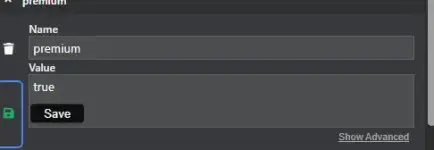
7. Now Search For "premium" kita naman to agad pag open ng extension.
8. Open This "premium" And Replace the Value false to true then save!
( Pag walang "premium" mag add nalang kayo
name = premium
value = true )
Done! Now Just Refresh And Enjoy Quillbot Premium for Free.
Feedback na lang po kung gumana din sa inyo


.webp "(ditto) :(ditto):")