PH
PHjuswagagard
Eternal Poster
 Free VPS Giveaway — AWS Lightsail (Burner Instance)
Giving away a Singapore-based VPS — perfect for:
 Testing scripts & tools
 Practicing Linux server commands
 Temporary hosting
 VPS Info:
Name: juswavpsubuntusg1
Location: Singapore

OS: Ubuntu 24.04 LTS
Specs:
2 GB Memory
2 vCPUs Processing
60 GB SSD Storage
3 TB Transfer
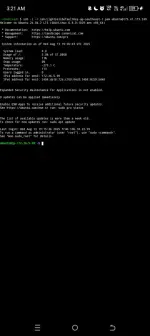
Status: Online & ready
Duration: 3 Months
 How to Claim:
First person to comment "SUPPORT" can use the .pem key below to log in.
Once you have it — it’s yours for 3 months.
 SSH Access Instructions
Step 1 — Save the Private Key (LightsailDefaultKey-ap-southeast-1.pem)
-----BEGIN OPENSSH PRIVATE KEY-----
[paste your .pem content here]
-----END OPENSSH PRIVATE KEY-----
 ANDROID (Termux)
1. Install Termux from F-Droid or Play Store.
2. Move LightsailDefaultKey-ap-southeast-1.pem to Termux storage (Download folder).
3. In Termux, run:
mkdir -p ~/.ssh
cp /sdcard/Download/LightsailDefaultKey-ap-southeast-1.pem ~/.ssh/
chmod 600 ~/.ssh/LightsailDefaultKey-ap-southeast-1.pem
ssh -i ~/.ssh/LightsailDefaultKey-ap-southeast-1.pem ubuntu@175.41.173.249
4. Once logged in, switch to root:
sudo su
PC (Windows)
Option 1 — Using Windows Command Prompt / PowerShell
1. Save LightsailDefaultKey-ap-southeast-1.pem in a known folder (e.g., C:\Users\YourName\Desktop\).
2. Open PowerShell and run:
ssh -i C:\Users\YourName\Desktop\LightsailDefaultKey-ap-southeast-1.pem ubuntu@175.41.173.249
3. Inside the server, switch to root:
sudo su
Option 2 — Using PuTTY
1. Convert .pem to .ppk with PuTTYgen.
2. In PuTTY → Hostname: ubuntu@175.41.173.249 → Auth → Load .ppk → Connect.
3. After logging in:
sudo su
🖥 Linux / macOS
1. Save LightsailDefaultKey-ap-southeast-1.pem to your home folder:
chmod 600 LightsailDefaultKey-ap-southeast-1.pem
ssh -i LightsailDefaultKey-ap-southeast-1.pem ubuntu@175.41.173.249
2. Inside the VPS:
sudo su
⚠ Rules:
This is a private VPS — don’t store sensitive data.
Anyone with the key has full control.
VPS will be deleted after 3 months.