 PH
PH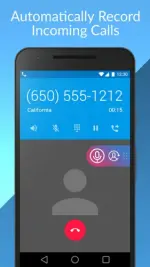
Requirements: 6.0+
Overview: Cube Call Recorder lets you easily record your incoming and outgoing phone calls and conversations in the most popular VOIP apps. The most technically advanced call recorder.
The most technically advanced call recorder. Records phone calls and VoIP. Supports call recording for most versions of android devices. If you have already tried to record calls using other applications for recording calls and did not get a satisfactory result, try Call Recorder - Cube ACR, it just works the best.
Call recorder - Cube ACR lets you easily record your incoming and outgoing phone calls and VoIP conversations.
The best part? It's FREE!
►Cube Call Recorder supports:
- Phone calls
- Skype 7, Skype Lite
- Viber
- Hangouts
- IMO
- KAKAO
- LINE
- Slack
- Telegram 6, Plus Messenger
- more coming soon!
※NOTE
This app uses Accessibility services.
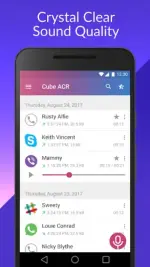
►Crystal Clear Sound Quality!
Record your calls and conversations in the best possible quality.
►Easy to Use!
- Automatically record every call. Record each conversation the moment it starts;
- Automatically record selected contacts. Create a list of people you want to always record;
- Exclusion list. Create a list of contact who won't be recorded automatically;
- Manual recording. Tap the record button mid-call to record only the selected conversations or parts of them;
- In-App playback. Cube ACR has a built-in file explorer for managing your recordings, playing them, deleting on the fly or exporting to other services or devices;
- Smart speaker switching. Bring the phone to your ear on playback to switch from loudspeaker to earspeaker to privately listen to your recordings.
- Starred recordings. Mark important calls and filter them for quick access;
- Call back and open contacts right from the app.
►Works on tablets
Even if your device doesn't support cellular calls, you can use Cube Call Recorder to record Skype, Viber, WhatsApp and other VoIP conversations.
※NOTE
If it doesn't work on your device or you hear only yourself on playback, try changing the recording source in the Settings, or use auto-on speaker mode.
※Legal notice
The legislation regarding phone call recording varies in different countries and states. Please, make sure that you're not breaking the legislation of your or your callee/caller country. Always notify the callee/caller that your conversation will be recorded and ask for their permission.
★ PRO / ρáíd features Unlocked
★ Ads methods nullified
★ Ads visibility disabled
★ Unwanted Permissions + Activities removed
★ Unwanted Services + Receivers and Providers removed
★ Ads Activities + Services and Providers removed
★ .source attributes of the corresponding java files removed
★ All Debug code removed
➡ Languages: Multi Languages
➡ CPU architectures: arm64-v8a, armeabi-v7a, x86, x86_64
➡ Screen DPIs: 120dpi, 160dpi, 240dpi, 320dpi, 480dpi, 640dpi
Install and set up Cube ACR Helper on your Android device:
● Install Cube ACR Helper;
● Launch Cube ACR Helper, 'Go to App Connector, 'More downloaded services', 'Cube ACR App Connector' and switch Accessibility to ‘On’.
NOTE: If your device is running on Android 13 you need allow ‘Restricted settings’:
Open your device Settings → Apps → Cube ACR Helper. Tap the ‘ ⋮ ’ menu on the top panel. Tap ‘Allow restricted settings’, then tap ‘OK’.
What’s New:
- Stability improvements and other fixes.
Download
Download