 PH
PH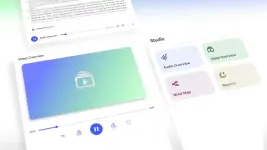
As AI-driven learning tools continue to evolve, NotebookLM’s Video Overviews have emerged as a game-changer for note-taking, studying, and team collaboration. This feature transforms static documents into dynamic, narrated videos, bringing your notes and research to life with compelling visuals and audio narration.
What Are Video Overviews?
Video Overviews automatically assemble your notes, PDFs, images, and highlights into easy-to-follow, narrated video slideshows. Rather than simply summarizing text, the AI pulls out key quotes, embeds diagrams or charts, and presents everything as a cohesive, visual narrative. This makes otherwise dense or complex information easy to grasp at a glance.
How Video Overviews Enhance Learning
Video Overviews extend far beyond basic summaries, offering powerful advantages for learners of all backgrounds:
- Dual Sensory Engagement: By blending visuals and narration, Video Overviews make it easier to absorb and remember information. Studies show that presenting information through both sight and sound helps learners process concepts more deeply and retain knowledge longer.
- Simplifying the Complex: Animated slides and highlighted visuals break down abstract or technical subjects, making them accessible to everyone—not just experts or visual learners.
- Supporting Diverse Learning Styles: Whether you learn best by seeing, hearing, or both, Video Overviews tailor to your personal style, helping more users get the most from their study sessions.
- Boosting Motivation and Focus: Well-crafted videos are more engaging and less intimidating than large blocks of text, keeping learners motivated and attentive through challenging material.
- Customizable and Collaborative: Users can adjust the overview’s focus (for example, a beginner-friendly version or an in-depth analysis) and reuse videos for teaching, training, or sharing with teams.
- Flexible Review Options: Videos can be paused, rewatched, or shared for collaborative study or review—perfect for revisiting tricky concepts or onboarding new team members.
How to Use Video Overviews
1. Upload Content: Add your research, notes, or PDFs to a NotebookLM notebook.
2. Open the Studio Panel: Choose “Video Overview” as your output format.
3. Set Preferences: Indicate if you want a broad overview, topic deep dive, or a team-oriented summary.
4. Generate and Share: The AI creates a narrated slide video, drawing on figures, highlights, and context tailored to your needs.
The Bottom Line
NotebookLM’s Video Overviews are a leap forward in accessible, engaging, and collaborative learning. By transforming dense research into clear, visually guided narration, they help students, professionals, and teams better understand and remember material—while making the process more enjoyable. If you’re looking to make your study, teaching, or team training more effective, it’s time to explore Video Overviews—where your notes become a living, watchable resource.
Ready to experience NotebookLM’s Video Overviews for yourself?
Visit the official NotebookLM website to upload your notes and start transforming your study or collaboration experience with AI-powered video summaries. Just go to: You do not have permission to view the full content of this post. Log in or register now.
(Note: The availability of Video Overviews may depend on region or account eligibility.)
This blog post was created with the assistance of AI technology to help organize and present information clearly and effectively. While AI aids in content generation, the views and insights E×ρréššed here are carefully reviewed and tailored to provide accurate and helpful information.