PH
PHDownload Free Ultimate POS - Best Advanced Stock Management, Point of Sale & Invoicing application 21216332 CodeCanyon
With this application, you are assured to save time-consuming process of bookkeeping accounting and inventory information. Also, you will have all the required information for detailed analysis of your business.
You do not have permission to view the full content of this post. Log in or register now.
With this application, you are assured to save time-consuming process of bookkeeping accounting and inventory information. Also, you will have all the required information for detailed analysis of your business.
FAQ:
- Are future updated FREE?
Yes, all future LIFETIME updates are FREE - Do I have to pay for updating to latest version?
NO, You get updates for FREE - Will it work offline?
Yes, it works offline - What hardware does it support?
- Barcode Scanner
- Receipt or Thermal Printer (Printer with ESC/POS commands)
-
- Does it support our currency?
Yes, we support ALL currency. In case you don’t find the currency listed, let us know via comment. We will be adding it in minutes - Does it support languages other than English?
Yes, UltimatePOS is translation ready. - Do you support the item?
Yes, absolutely. - Does it supports GST / VAT taxes?
The tax is completely customizable. You can define GST, VAT and Group taxes like a combination of CGST + SGST. This taxes can be selected while adding purchase & sell. You can view the tax report to view details of input & output tax during a period.
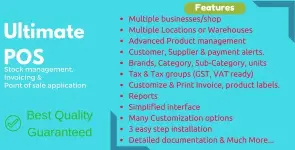
Key Features:
- Multiple Business/Shops:
- Set up multiple businesses in the application.
- No restriction on numbers of businesses.
- Inventory & accounting information is kept separately for each business.
- Add Location / Storefronts / Ware House:
- Create multiple locations for your business/shop
- Manage all of them at the same time.
- Stocks, Purchases, Sell can be tracked differently for locations.
- Customize invoice layout, invoice scheme for each location
- User & Role Management:
- Powerful user and role management system
- Predefined roles – Admin & Cashier
- Create different Roles with permission as per your need.
- Create unlimited users with different roles.
- Contacts (Customer & Suppliers):
- Mark contact as customer or supplier or both(customer & Supplier)
- View details of transactions with a contact.
- View total of Credit/Debit balance amount
- Define pay term and get payment alerts week before the due date.
- Products:
- Manage Single & Variable products.
- Classify products according to Brands, Category, Sub-Category.
- Add products having different units
- Add SKU number or auto-generate SKU number with prefixes.
- Get stock alerts on low stock.
- Save time by auto calculating selling price, the system is smart to auto calculate selling price based on purchase price and profit margin.
- No need to type variations every time, create variation template and use it everytime you need to create variable products.
- Purchases:
- Easily add purchases.
- Add purchase for different locations.
- Manage ρáíd/Due purchases.
- Get Notified of Due purchases week before the pay date.
- Add discounts & Taxes
- Sell:
- Simplified interface for selling products
- Default Walk-In-Customer automatically added to a business
- Add new customer from POS screen.
- Ajax based selling screen – save reloading time
- Mark an invoice for draft or final
- Different options for payments
- Customize invoice layout and invoice scheme.
- Manage Expenses:
- Easily add business expenses
- Categorise expenses
- Analyse expenses based on category and business locations with expenses report.
- Reports:
- Purchase & Sale report
- Tax Report
- Contact Reports
- Stock Reports
- Expense Report
- View Trending Products, drill down by Brands, Category, Sub-category, Units and date ranges
- Expense Reports
- Cash Register Report
- Sales Representative report
- Other useful feature:
- Set currency, timezone, financial year, the profit margin for a business.
- Translation ready.
- Predefined barcode sticker settings.
- Create your barcode sticker setting
- Manage Brands, Tax Rate & Tax groups, Units, Category & Sub-Category
- Easy 3 steps installation.
- Detailed documentation
- Stock Adjustment
- E×ρréšš Checkout
- Works Offline
You do not have permission to view the full content of this post. Log in or register now.
You do not have permission to view the full content of this post. Log in or register now.