 PH
PHrainych_ran
Contributor
 Eligibility Check
-The first step is to verify your eligibility for accessing Google Gemini AI Pro. If you see the prompt to ‘verify your eligibility,’ it indicates that you are already eligible. If not, there are alternative methods to qualify.Check using URL : You do not have permission to view the full content of this post. Log in or register now.
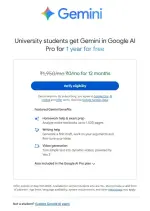
Creating a New Gmail Account - [Alternative if Not Eligible]
Creating a new Gmail account in incognito mode to avoid old cookie tracking. Users should enter a birth date between 2003 and 2006 to be counted as a student, and then proceed to create their account. Instructions for Form Submission
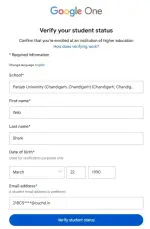
-Once you are eligible, please proceed to fill out the form.
-Make sure that your First Name, Last Name, and Date of Birth exactly match the details registered with your Gmail account.
(Use the URL below to cross-check your Gmail account information.) - You do not have permission to view the full content of this post. Log in or register now.
 Required Information (Enter Exactly as Shown)
- School: Punjab University (Chandigarh, Chandigarh) (Chandigarh, Chandigarh)
- First Name:Your First Name
- Last Name:Your Last Name / Surname
- Date of Birth (DOB):Your Date of Birth
- Email Address:21BCS****@cuchd.in
- Replace **** with the last 4 digits of your phone number.
- If that format doesn’t work, try using another set of 4 digits from your number.
Once Verified You will see the below Page
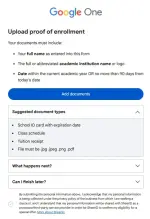
 Student ID Generation Guide
If you do not have an official school or college ID, follow the steps below to generate a fictional student ID using the online tool provided. This ID will be used for form submission purposes.
 Tool Link : You do not have permission to view the full content of this post.
Log in or register now.
Tool Link : You do not have permission to view the full content of this post.
Log in or register now.Required Information (Enter Exactly as Shown)
| Your Name | Must match the name used to fill out the Gemini Form |
| Your Photo | Use any person’s image from Google (for placeholder purposes) |
| School | Punjab University (Chandigarh, Chandigarh) (Chandigarh, Chandigarh) |
| School Logo | Select any logo from the options provided |
| Class | BSE |
| Roll No | Use your Student email ID without the @domainExample:21BCS**** |
| Date of Birth | Must match the DOB used in the Gemini Form |
| Card Issue Year | 2025 |
| Address | Punjab University (Chandigarh, Chandigarh) (Chandigarh, Chandigarh) |
| Mobile | Same number used in the Gemini Form |
 Final Step
-After filling out all fields, download the generated Student ID card.-That’s it — you’re done!
Verification Process
After the student ID is generated, you must upload it to verify your student status. The system may take around 20 seconds to verify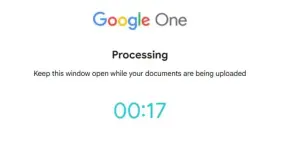
Once Verified Click on “Get Student Offer” and Pay Zero Amount

Payment and Subscription Setup
The final steps involve making a nominal payment of ₹2 for verification (USE ANY - UPI / CARD), which is refunded shortly after. After this, users are greeted with confirmation of their subscription and the benefits it entails.Canceling Auto-Pay
To avoid future charges, it is crucial to cancel the auto-pay option. This involves navigating to a specific link and following the cancellation process while confirming your subscription remains valid for the year.You do not have permission to view the full content of this post. Log in or register now.
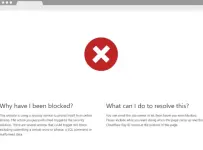
JUST ENCASE USE VPN IF YOU ENCOUNTER THIS!!
(rainych ♡
 )
)