 PH
PH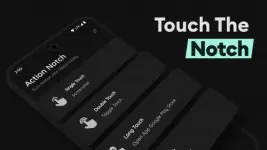
Requirements: 7.0 and up
Overview: Turn your camera hole into an action button with some assistive touch
This app transforms the camera hole on your phone into a handy shortcut action button. Use the camera hole as a multi-action shortcut button which provides some Assistive touch and some features offered by Dynamic Island
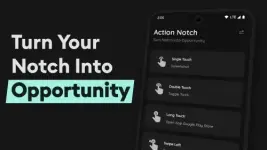
You can set the action for each action: single touch, long touch, double touch, swipe right & swipe left to the camera cutout/notch of the phone and perform the action by simply touching the notch
Interactive camera hole functions and Key Features :
Actions
* Screenshot capture: capture a screenshot with a simple touch. Protects your device's buttons from wear and tear.
*Toggle camera Flashlight: Instantly turn your phone into a flashlight/ torch.
- Open Power Button Menu: Access the power menu easily, some phones have different functions to open the power button menu.
- Tap Scroll: Perfect scroll makes it easy to scroll to the upper of the page, with just one simple touch
Access
- Open Camera: quickly open camera.
- Open Selected App: Directly navigate to your favourite app like a calculator
- Open Recent Apps Menu: Easily switch between all the recently open apps.
- Speed Dial: Make quick phone calls to any selected or emergency contact number.
Modes
- Control screen rotation: Enable or disable screen rotation.
- Do Not Disturb Mode: Enable or disable DND mode as needed.
Tools
- QR & barcode scanner: the fastest QR code reader and Barcode scanner.
- Fast Browser: Quickly access your favourite website.
- Switch Brightness: Adjust screen brightness for different environments, like indoor/outdoor or day/night.
- Toggle Ringer Mode: Switch between mute, sound, or vibrate modes for your phone's ringer.
Media
- Play or Pause Music: Control music playback just like a headset button, and listen to Music and podcasts.
- Play Next Music: Skip to the next music track.
- Play Previous Music: Rewind or return to the previous music.
System
* Screen off: top to just lock the screen and protect your device's buttons from wear and tear.
Accessibility Service API Disclosure:
The app uses Android Accessibility Service API.
It uses system accessibility privileges of Accessibility Overlay to place an invisible button around and below the front camera cut-out to function as a shortcut for user-selected tasks. No data is collected by the service.
Modifications:
❂ Pro / ρáíd features unlocked;
❂ Cleaned all useless files;
❂ Debug codes Removed;
❂ CPUs: arm64-v8a, armeabi-v7a;
What's New:
We’re always making changes and improvements to Action Notch. Keep your updates turned on to ensure you don’t miss a thing.
- Added scroll to bottom
- Added open notification panel
- Added open quick settings panel
- Fixed bug where notification drawer can't be opened when the app is enabled
- Added an option to disable Action Notch in landscape mode
- Added Calculator support to action button
- Tap to increase/ decrease brightness support added
- Fixed bugs
Download
Download