 PH
PH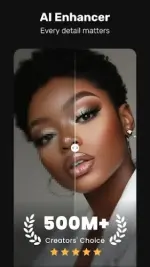
Requirements: 5.0 and up
Overview: Quick Summer-Reels: Powerful AI Auto-Edits & Trendy Filters in 60 Secs
VivaVideo is a free, all-in-one AI video editor & video maker to help you create high-quality, eye-catching videos with ease.
Whether you're a beginner or a pro, VivaVideo covers all your video editing needs. Besides essential tools like trim, split, and music, it offers advanced features such as keyframe animation, smooth slow-motion, motion tracking, and AI background removal.
Make your videos stand out with VivaVideo exclusive features: AI styles, auto captions, caption translation, AI voice cloning, image-to-video, AI music and more. With VivaVideo, you can effortlessly create and share eye-catching content on TikTok, YouTube, Instagram, WhatsApp, and Facebook!
FREE & No Ads!
Powerful AI Video Tools
- Smart Tracking:
Auto track moving objects to create dynamic, professional shots.
- AI Beat:
Sync video highlights with rhythmic beats for perfectly timed edits.
- AI Auto Captions:
Auto generates speech-to-text captions & caption translation.
- Dynamic Captions:
Elevate your videos with stylish and animated caption effects.
- AI Music Generator:
Create a custom song based on your ideas or lyrics.
- AI Voice Clone:
Easily copy your voice and generate any speech! With customized emotions & in any language!
- Image to Video:
Let AI magically bring life to your photos with AI hug, AI kiss, AI muscle video effects.
- AI Cutout:
Auto remove backgrounds or isolate objects with smart strokes.
- Slow-Motion:
Make videos smoother and more cinematic with advanced slow-mo effects.
- AI Enhancer:
Enhance Videos/Photos for HD quality in a tap.
User-friendly Video Editing for Beginners
- Trim, cut, split, or merge video clips without losing quality.
- Speed curve: speed control with customizable & pre-set curves.
- Add smooth transitions and visual effects to enhance your video.
- Text styles & fonts: customize text for titles and captions.
- Add fun stickers & emojis to bring personality to your video.
- Color adjustments: adjust brightness, contrast & saturation for better visuals.
Full-featured Video Editing for Professional
- Keyframe editing: create smooth animations for dynamic movement and effects.
- Apply slow-motion effects to specific parts of your video.
- Chromakey effects: use chroma key to eliminate video colors and create immersive scenes.
- Picture-in-picture (PIP): add multiple layers of video, images, stickers, special effects, text
- Masking: cover and mix video clips to get different video effects.
- Mosaic: blur or pixelate specific areas of your video, great for hiding sensitive details.
- Smart tracking: track moving objects in your video for precise effects, text, or animations to follow their motion.
Special Features
- Auto captions & caption translation: AI speech-to-text for talking videos and one-tap subtitle translation.
- Background removal: auto remove backgrounds and change video background.
- Photo slideshow maker: turn photos into amazing music video slideshows.
- GIF maker: create fun and shareable GIFs effortlessly.
Trending Effects & Filters
- Apply various effects to your videos, including Glitch, Fade,, Weather, Retro DV, Blur, 3D
- Enhance your videos with cinematic filters & color adjustments
Music & Sound Effects
- Elevate videos with a vast library of music clips and sound effects.
- Extract audio from video clips and recordings
Save & Share
- Export video in Full HD 1080p and 4K.
- Export GIFs with transparent background
- Save videos to your phone and share to TikTok, YouTube, Instagram, Snapchat and WhatsApp
With VivaVideo, your all-in-one video editor & video maker with music, you can easily craft eye-catching content. Whether you're a beginner or pro, VivaVideo's powerful tools like AI music, keyframes and green screen, can help you make high-quality videos in minutes!
What's New:
- Upgraded AI Custom Video Creation: Now supports more commercial and professional scenarios, with enhanced interactive experience.
- New AI Digital Avatar Feature: Introducing AI-powered virtual avatars to enrich your content creation.
Download
Download