 PH
PHCopyright Disclaimer:
I do not own any files shared on this forum unless otherwise stated. All content is the property of its respective creators. This file is shared for informational and educational purposes only.
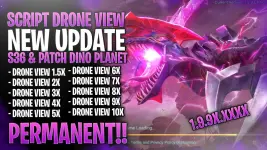
SCRIPT/CONFIG
DRONE VIEWSUPPORT : NON ROOT & ROOT
GAME : MOBILE LEGENDS
DATE : 07/15/2025
METHOD : DOCUMENT | PERMANENT
REQUIRED APP:I do not own any files shared on this forum unless otherwise stated. All content is the property of its respective creators. This file is shared for informational and educational purposes only.
SCRIPT/CONFIG
DRONE VIEWSUPPORT : NON ROOT & ROOT
GAME : MOBILE LEGENDS
DATE : 07/15/2025
METHOD : DOCUMENT | PERMANENT
1.9.9X.XXX.X
WHAT UPDATE:
Using Document method!!
Compatible with new update
CONFIG FEATURE :
DRONE VIEW 1.5X
DRONE VIEW 2X
DRONE VIEW 3X
DRONE VIEW 4X
DRONE VIEW 5X
DRONE VIEW 6X
DRONE VIEW 7X
DRONE VIEW 8X
DRONE VIEW 9X
DRONE VIEW 10X
INSTALLATION:
go to mlbb folder: android > data > com.mobile.legends > files > delete minipatch folder

again inside the files folder go to dragon2017 > assets > Document > android > delete ResCheckConf.xml

after deleting these 2 files extract the downloaded zip file after extracting copy the files folder from step 1 and paste it in mlbb folder android > data > com.mobile.legends
after doing so you can now choose which drone view you want to use, same step as above.
YOU CAN REFER TO THIS VIDEO FOR CLEAR INSTALLATION GUIDE:
You do not have permission to view the full content of this post. Log in or register now.
DRONE VIEW LINK:
You do not have permission to view the full content of this post. Log in or register now.
Build by : redoxena
Credits to : redoxena

