Hello! I'm sorry to hear that you're having trouble installing a modded version of Loklok on your Huawei tablet. It's possible that the modded version you downloaded is not compatible with your device or there may be an issue with the installation process. Here are a few things you can try to troubleshoot the problem:
1. Check Compatibility: Make sure that the modded version of Loklok you downloaded is compatible with your specific Huawei tablet model and Android version.
2. Enable Unknown Sources: Go to Settings > Security > Unknown Sources and enable the option to allow installation of apps from sources other than the Play Store. This is required for installing modded apps.
3. Clear Cache and Data: If you've already tried installing the modded app, but it's not working, go to Settings > Apps > Loklok > Storage and clear the cache and data. Then try reinstalling the modded version.
4. Download from a Trusted Source: Ensure that you are downloading the modded version of Loklok from a reputable source to avoid any issues with the app.
5. Rooting: If your Huawei tablet is not rooted, you may need to root it to install certain modded apps. Be cautious while rooting your device as it can void your warranty and potentially cause security risks.
If you're still facing issues after trying these steps, you may want to reach out to the developer of the modded Loklok app for further assistance or look for alternative modded versions that are known to work well with Huawei devices. Let me know if you need further help!
 PH
PH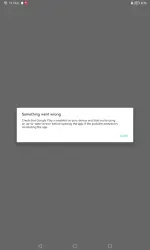
 To All:
  No Posts:

 Look Here: