 PH
PH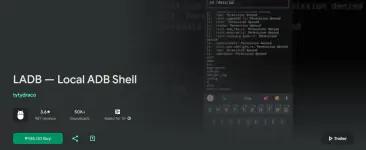
Requirements: 8.0+
Overview: LADB bundles an ADB server within the app libraries. Normally, this server cannot connect to the local device because it requires an active USB connection. However, Android's Wireless ADB Debugging feature allows the server and the client to speak to each other locally.
Initial Setup
Use split-screen more or a pop-out window with LADB and Settings at the same time. This is because Android will invalidate the pairing information if the dialog gets dismissed. Add a Wireless Debugging connection, and copy the pairing code and port into LADB. Keep both windows open until the Settings dialog dismisses itself.
Issues
LADB is sadly incompatible with Shizuku at the current moment. That means that if you have Shiuzuku installed, LADB will usually fail to connect properly. You must uninstall it and reboot to use LADB.
Troubleshooting
Most errors can be fixed by clearing the app data for LADB, removing all Wireless Debugging connections from Settings, and rebooting.
License
While this project is GPLv3 licensed, I would like to add a parameter: please do not publish unofficial (user) LADB builds to the Google Play Store.
Support
MANUAL PAIRING:
Sometimes, LADB's Assisted Pairing mode can be finicky with newer versions of Android. This is because the device does not recognize that there is an available device to connect to. Sometimes, a simple app restart fixes the issue.
What's new:
- Automatically disable mobile_data_always_on if enabled (thanks to a support email!)
- Warn if mobile_data_always_on is enabled
Package Info:
● Supported Languages: af, am, ar, as, az, be, bg, bn, bs, ca, cs, da, de, el, en-AU, en-CA, en-GB, en-IN, en-XC, es, es-419, es-US, et, eu, fa, fi, fr, fr-CA, gl, gu, hi, hr, hu, hy, in, is, it, iw, ja, ka, kk, km, kn, ko, ky, lo, lt, lv, mk, ml, mn, mr, ms, my, nb, ne, nl, or, pa, pl, pt, pt-BR, pt-PT, ro, ru, si, sk, sl, sq, sr, sr-Latn, sv, sw, ta, te, th, tl, tr, uk, ur, uz, vi, zh-CN, zh-HK, zh-TW, zu;
● Supported CPU architecture: Armeabi-v7a, Arm64-v8a, X86, X86_64;
● Supported DPIs: Ldpi, Mdpi, Tvdpi, Hdpi, Xhdpi, Xxhdpi, Xxxhdpi.
Mod Info:
● Pairip Protection Removed / Disabled.
● No Lucky Patcher / Jasi Patcher / NFG-Multi-Crack & Google Play Modded Needed.
● Play Services, Transport, Firebase Properties Removed.
● All Unnecessary Garbage Folder & File Removed.
● Duplicate Dpi Item Remove Like:
- Bar Length, Drawable Size, Gap Between Bars.
● Splits0 File Removed (Resources & AndroidManifest).
● Splits0 Releated Unnecessary Meta-Data Remove Like:
- Stamp Source, Stamp Type Standalone Apk, Android Vending Splits, Android Vending Derived Apk.
● Removed Debug Information (Source, Line, Param, Prologue, Local).
Armeabi-v7a
Download
Arm64-v8a
Download
Armeabi-v7a+Arm64-v8a+X86+X86_64
Download