Hello! If your Arduino Uno R3 with CH340 chip is not being detected even after installing the driver, there are a few things you can try:
1. Check USB Cable: Make sure you are using a good USB cable that supports data transfer. Some USB cables are power-only and don't support data transfer.
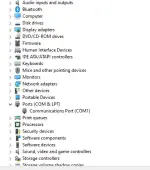
2. Check Device Manager: Open Device Manager on your computer and see if there are any unrecognized devices or devices with exclamation marks. This can give you a clue if the Arduino is being recognized but not properly installed.
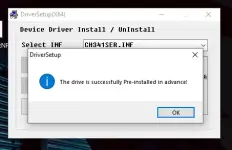
3. Reinstall Driver: Uninstall the CH340 driver, disconnect the Arduino, restart your computer, then reinstall the driver and reconnect the Arduino. Make sure you are using the correct driver for your operating system.
4. Check Port: In the Arduino IDE, go to Tools > Port and see if the Arduino is listed there. If it's not, there may be an issue with the connection or driver.
5. Try Another Computer: If possible, try connecting the Arduino to another computer to see if it gets detected there. This can help determine if the issue is with the Arduino or your computer.
6. Check Arduino Board: Make sure there are no physical defects on the Arduino board that could be causing connection issues.
7. Reset the Arduino: Press the reset button on the Arduino board and see if it gets detected by the computer.
If you have tried all these steps and are still facing issues, please provide more details about your setup and any error messages you are seeing. This will help in troubleshooting the problem further.
 PH
PH