 PH
PH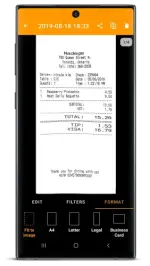
Requirements: 5.0+
Overview: Quickly scan your paper documents on the go and export them as multi-page PDF files.
Place any document in front of your device’s camera: our scanner app automatically recognizes the paper against the background, crops it, and cleans up the result. You obtain a crisp, legible scan. Batch scanning lets you scan dozens of pages in a matter of seconds. Powerful tools help you organize, share, or archive your documents.
== KEY FEATURES ==
Smart Scanning:
- Document detection & background removal
- Distortion correction
- Shadow removal and defect cleanup
- Filters (black & white, whiteboard, photo)
- Batch scanning
PDF Creation & Editing:
- Document merging & splitting
- Multiple page PDF creation
- Photos and PDF import
Security & Privacy:
- On-device document processing
- Fingerprint locking
- PDF password encryption
Document Organization:
- Document tagging
- Metadata and content search
- Custom naming schemes (Smart Document Names)
- Backup and multi-device sync with Genius Cloud (separate subscription)
Export:
- Box, Dropbox, Evernote, Expensify, Google Drive, OneDrive, FTP, WebDAV.
- Any WebDAV compatible service such as Citrix ShareFile, NextCloud, ownCloud, Synology, Yandex.
- Automatic background auto-export
== ABOUT US ==
It’s in the heart of Paris, France that The Grizzly Labs develops Genius Scan. We take pride in crafting apps that help millions of users throughout the world and hold ourselves to the highest standards in terms of quality and privacy. Get in touch with us @thegrizzlylabs if you have any questions.
What's New:
We've fixed an error ("Cannot open directory") that happened when exporting to a Memory Storage destination.
=====================
SAI Instructions: [no root]
1. Download and install latest SAI app (Split APK Installer) -
Spoiler contents are visible only to Established Members.
3. Install and Open SAI / Choose "Install APKs" button / Find and Select downloaded .apks archive app;
4. Wait for install and done. Enjoy!
Lucky Patcher Instructions: [no root]
1. Download and install latest Lucky Patcher app;
2. Install and Open Lucky Patcher and choose 'Rebuild & Install';
3. Find and Select downloaded this .apks archive app;
4. Wait for install and done. Enjoy!
PS: Make sure after open SAI or Lucky Patcher you allowed STORAGE Permission and Install Unknown Apps Permission!
=====================
Package Info:
- Languages: Full Multi Languages;
- CPUs: armeabi-v7a, arm64-v8a, x86, x86_64;
- Screen DPIs: 120dpi, 160dpi, 240dpi, 320dpi, 480dpi, 640dpi;
- Untouched [ρáíd] apk with Original Hash Signature, no [Mod] or changes was applied;
- Certificate MD5 digest: 4ce5fe93c0e874be9b8b506d66770b62
Download
Download