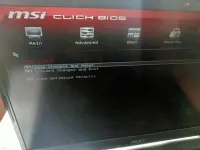
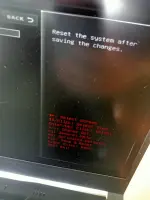
Hello! If your MSI laptop is stuck on the BIOS screen when you press the power button, there are a few steps you can try to fix this issue:
1. Hard Reset: First, try performing a hard reset by shutting down the laptop, disconnecting the power adapter, and removing the battery (if possible). Press and hold the power button for about 30 seconds to drain any residual power. Then reinsert the battery (if you removed it) and power on the laptop to see if it boots up normally.
2. Check BIOS Settings: Sometimes, incorrect BIOS settings can cause the laptop to get stuck at the BIOS screen. Try entering the BIOS setup by pressing the appropriate key (usually Del, F2, or F10) during startup and check if everything is set correctly. You can also try resetting the BIOS settings to default.
3. Update BIOS: If the BIOS is outdated, it might be causing the issue. Visit the MSI website and download the latest BIOS update for your laptop model. Follow the instructions carefully to update the BIOS.
4. Check Hardware: It's also possible that a hardware component is causing the problem. Check if all the hardware components are properly connected and functioning correctly. You can try reseating the RAM and hard drive to see if that resolves the issue.
5. Perform System Restore: If none of the above solutions work, you can try performing a system restore to a previous point when the laptop was working fine. This can help revert any recent changes that may have caused the issue.
If you are still facing the problem after trying these steps, it might be a more complex issue that requires professional assistance. You can contact MSI customer support or take your laptop to a certified technician for further diagnosis and repair.
 PH
PH