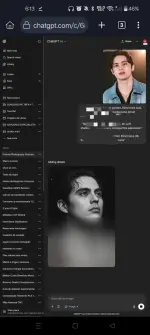
For the boys with beard, kuha kayo selfie nyo then upload nyo parin sa ᑕᕼᗩTGᑭT both yung sefie at etong words:
Create an ultra-realistic black and white portrait of me based on the provided selfie. I should be posed with my hands pressed together in a prayer-like position directly in front of my face, with fingertips aligned just under my nose — creating perfect vertical symmetry. My eyes should be covered with round vintage sunglasses. Keep my natural hairstyle and beard exactly as in my selfie. I'm wearing a textured suit jacket with a shirt underneath, resembling a modern, sharp formal look. The lighting is moody and high contrast, with soft shadows that sculpt my facial features and hands. The background is minimal, dark, and blurred to ensure the focus stays on me. Maintain a dramatic, cinematic tone — the vibe should feel mysterious, introspective, and editorial. 8K resolution, portrait orientation.
Sana makatulong.
 PH
PH Login to ᑕᕼᗩTGᑭT.