PH
PHpoohlover08
Forum Guru
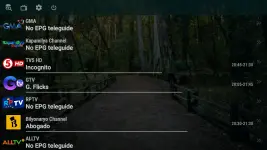 Recommended apps is TIVIMATE and OTT Navigator only
need naka premium ung tivimate and OTT Navigator for proper user-agent
Instruction for OTT Navigator:
1. Download the OTT Navigator (1.7.0.2 version sa mga smartphone or tv niyo)
2. Mag Generate ng Tokenized LInk
3. Pumunta ng OTT Navigator or Tivimate i click ang settings (gear icon)

4. i select ang Provider
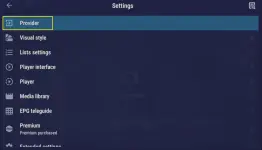
5. piliin ang Provider

6. i select ang playlist
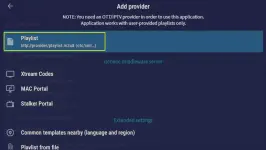
7. i paste ang generated link and then select apply.
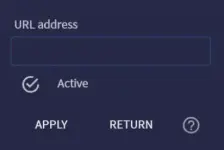
Reminder: ONLY 1 Device per IP lang ang pwede more than two device need magkaiba ng network o wifi internet connection and tokenized ang channels para iwas nakaw.
ENJOY Watching!!!
DropMB
Download
DropBox (Direct Download)
Download
EPG LINK (Copy niyo tong link tas paste niyo sa OTT Navigator or Tivimate)
You do not have permission to view the full content of this post. Log in or register now.
Generate your link here
Pa feedback naman dito sa comments with picture if gumana sainyo at saan niyo nilagay thanks
"SA MGA NAKOKONTIAN NG CHANNELS PAANTAY NALANG PO CURRENTLY ADDING PO UNG IBANG CHANNELS DI PO KASI MADALI MAG ADD NG CHANNELS SA SCRIPT. THANKS AND ENJOY WATCHING"