 PH
PHCurrently I'm using Redmi Note 13 Pro +5g
Global Theme gamit ko
Paano ko na achieve ito?
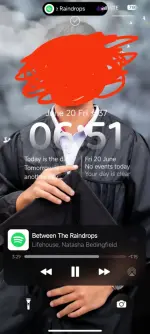
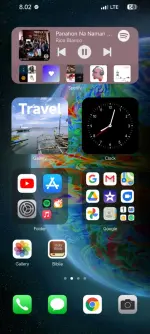
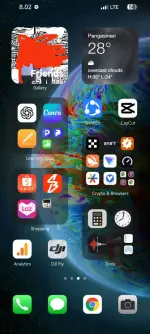
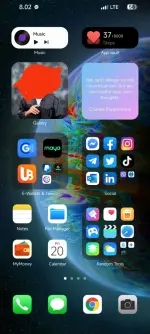
Sundan mo lang itong steps na ito!
First step:
Punta kayo dito and click Official Theme, After nun mapupunta ka sa official THEME APP THEN DOWNLOAD MO LANG 'YONG THEME.
You do not have permission to view the full content of this post. Log in or register now.

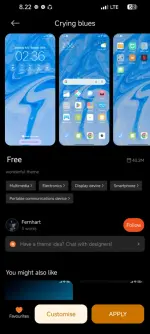
DO THE STEP 1 TO ALL THIS THEME DOWNLOAD NIYO LANG:
You do not have permission to view the full content of this post. Log in or register now.
You do not have permission to view the full content of this post. Log in or register now.
Step 2:
After Downloading all those Theme Now Let's Apply !
!
In your THEME APP Go to Account then CUSTOMISE THEME.
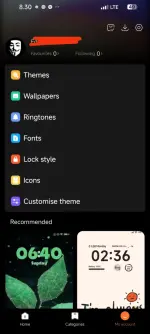
After opening that, Apply CRYING BLUES SA LAHAT, LOCK STYLE ,STATUS BAR, ICONS and FAVOURITES TRAY
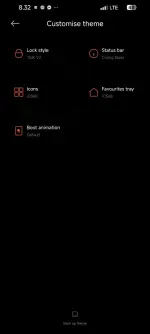
After Mo na ilagay yung CRYING BLUES sa lahat now Gayahin mo lang itong nasa SCREENSHOT KO na Settings.
Voila iOS Theme kana :
:
FEEDBACK ALWAYS
Global Theme gamit ko
Paano ko na achieve ito?
Sundan mo lang itong steps na ito!
First step:
Punta kayo dito and click Official Theme, After nun mapupunta ka sa official THEME APP THEN DOWNLOAD MO LANG 'YONG THEME.
You do not have permission to view the full content of this post. Log in or register now.
DO THE STEP 1 TO ALL THIS THEME DOWNLOAD NIYO LANG:
You do not have permission to view the full content of this post. Log in or register now.
You do not have permission to view the full content of this post. Log in or register now.
Step 2:
After Downloading all those Theme Now Let's Apply
!In your THEME APP Go to Account then CUSTOMISE THEME.
After opening that, Apply CRYING BLUES SA LAHAT, LOCK STYLE ,STATUS BAR, ICONS and FAVOURITES TRAY
After Mo na ilagay yung CRYING BLUES sa lahat now Gayahin mo lang itong nasa SCREENSHOT KO na Settings.
Voila iOS Theme kana
:FEEDBACK ALWAYS