🖥️ Smart TV How to wâ†ch frêê IPTV channels on Smart Tv

1. Open Smart TV browser already connected to Internet
2. Search for You do not have permission to view the full content of this post. Log in or register now.
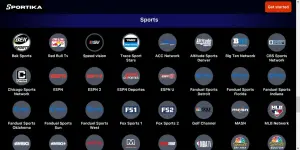
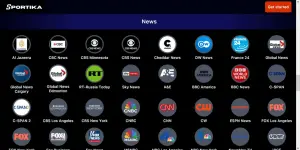
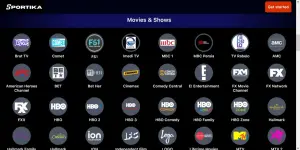
3. Scroll to the section of live TV Channels
4. Enjoy
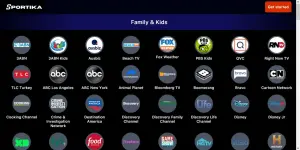
Screenshot 2025-05-30 at 14-44-45 Sportika - Watch top channels on your phone and TV anywhere...webp

Screenshot 2025-05-30 at 14-44-27 Sportika - Watch top channels on your phone and TV anywhere...webp

Screenshot 2025-05-30 at 14-44-15 Sportika - Watch top channels on your phone and TV anywhere...webp

Screenshot 2025-05-30 at 14-43-31 Sportika - Watch top channels on your phone and TV anywhere...webp
 
how about sa smart tv ilagay ang iptv paano pala? ang alam ko kasi pc at fone lang how about sa mismong tv?

It's a website, so connect your Smart TV to internet then go to the browser and put in You do not have permission to view the full content of this post. Log in or register now. or just search sportika.live from google, it might bring, if it fails, use the exact url link. Then after scroll to the section of tv channels and enjoy.
 

About this Thread

  • 24
    Replies
  • 2K
    Views
  • 23
    Participants
Last reply from:
SanitariuM

Trending Topics

Online now

Members online
651
Guests online
1,218
Total visitors
1,869

Forum statistics

Threads
2,288,521
Posts
29,052,182
Members
1,215,138
Latest member
beru_123456789
Back
Top