PH
PHPlease check https://phcorner.org/threads/anong-...çkers-review-ito-lang-kailangan-niyo.2305416/ or "Anong mga browsers ang maganda (fast, secured at private)? häçkers review. Ito lang kailangan niyo"
---
In this guide I will teach you how to harden browsers in the beginners level, Microsoft Edge as example. Don't worry kasi enough na siya.
Solution For

How is this possible? By completely isolating Microsoft Edge current files (disabling update checking), disabling skibdi features and settings, turning on security and privacy settings, and blocking bloated connections.
PERO I STILL DO NOT RECOMMEND IT FOR ANONYMITY KASI ITS NOT REALLY BUILT FOR IT PERO OVERALL PWEDE MO SIYANG GAMITIN FOR IT.

BAKIT HINDI SIYA RECOMMENDED?

1. Extensive Usage and Too Much Cache
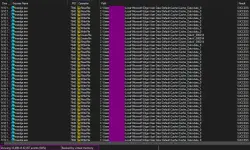
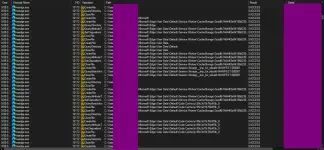
2. It's not built for security at privacy
3. Too Much Connection (like what????)
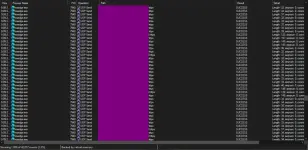
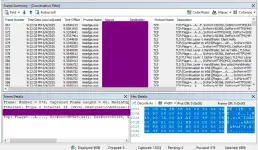
4. Uses Windows internal library for telemetry (bypass). I captured it pero bigla nawala.
And many more.
Bibigay lang ako ng steps, kayo na bahala for the rest para matuto ka better. don't be shy to ask questions haha
RESULT (AFTER HARDENING)
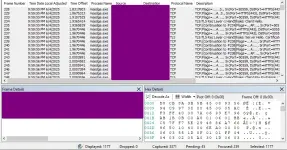
BRRR Fast (multiple because of my other programs)
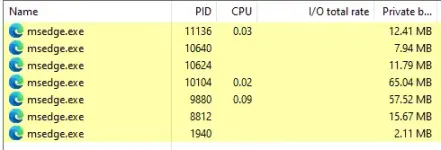
Masmabilis na at wala/less skibidi connections.
Missions
This is trial and error.
Steps

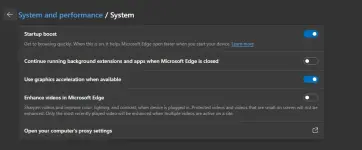
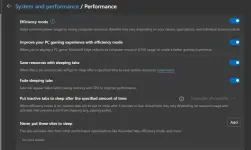
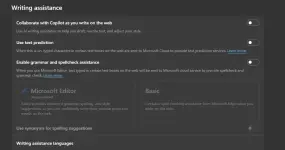
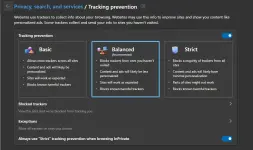
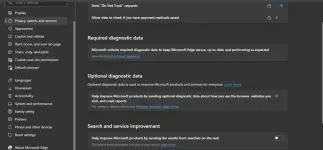
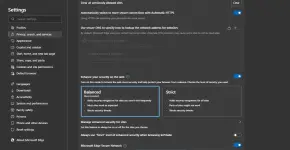
OMG ang rami talaga pero you get my point. Then Install this extension You do not have permission to view the full content of this post. Log in or register now. you're good to go! Jk, hindi pa. Kung gusto mo itake siya to the next level. You can use Sandboxie Plus to further isolate and make it faster
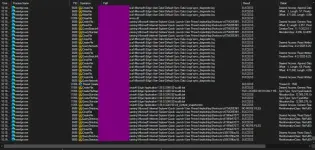
Pero yung mga ganito, reverse engineering and modifications is not included here. Long masyado ang process and medyo complicated, not really needed.
Anyways next step is to download Microsoft Edge app sa android to sniff further "useless connections" using You do not have permission to view the full content of this post. Log in or register now.. And ito nahanap ko

Then gi settings ko siya correctly the same way as the Desktop and BOOM, trial and error. Lot's of testings. Ang bilis na, pero bakit sa app rin? Kasi possible "secret" domains or para ma block na sila in advance. Sa NextDNS Settings don't forget to enable these rin
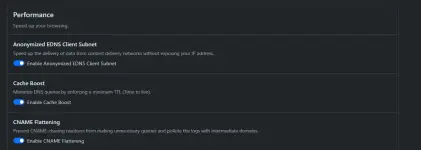
Lastly make sure naka disable yung IPv6 ng computer mo. You're good na!
---
In this guide I will teach you how to harden browsers in the beginners level, Microsoft Edge as example. Don't worry kasi enough na siya.
Solution For
How is this possible? By completely isolating Microsoft Edge current files (disabling update checking), disabling skibdi features and settings, turning on security and privacy settings, and blocking bloated connections.
PERO I STILL DO NOT RECOMMEND IT FOR ANONYMITY KASI ITS NOT REALLY BUILT FOR IT PERO OVERALL PWEDE MO SIYANG GAMITIN FOR IT.
BAKIT HINDI SIYA RECOMMENDED?
1. Extensive Usage and Too Much Cache
2. It's not built for security at privacy
3. Too Much Connection (like what????)
4. Uses Windows internal library for telemetry (bypass). I captured it pero bigla nawala.
And many more.
Bibigay lang ako ng steps, kayo na bahala for the rest para matuto ka better. don't be shy to ask questions haha
RESULT (AFTER HARDENING)
BRRR Fast (multiple because of my other programs)
Masmabilis na at wala/less skibidi connections.
Missions
- Lower the startup connections.
- Block useless connections.
- Enable security and privacy settings correctly.
- Privacy extensions (extra). Only download extensions na kailangan, kasi they contribute to performance rin.
- Disable bloated features or likewise.
- Disable useless settings.
This is trial and error.
Steps
- You do not have permission to view the full content of this post. Log in or register now. then set mo sa PC mo.
- Sa Privacy -> Blocklists. Enable all big lists like HaGeZi - Multi PRO++
- Punta ka sa logs (click refresh button if you can) and run Microsoft Edge.
- Spot useless domains from Microsoft Edge and block all useless connections (domains) sa Denylist like (this also disables auto update)
- :

Go to Microsoft edge and tweak tweak tweak haha (lahat ng useless settings, disable them maslalo na yung mga hindi mo naman ginagamit or may better workaround)
OMG ang rami talaga pero you get my point. Then Install this extension You do not have permission to view the full content of this post. Log in or register now. you're good to go! Jk, hindi pa. Kung gusto mo itake siya to the next level. You can use Sandboxie Plus to further isolate and make it faster
Pero yung mga ganito, reverse engineering and modifications is not included here. Long masyado ang process and medyo complicated, not really needed.
Anyways next step is to download Microsoft Edge app sa android to sniff further "useless connections" using You do not have permission to view the full content of this post. Log in or register now.. And ito nahanap ko
Then gi settings ko siya correctly the same way as the Desktop and BOOM, trial and error. Lot's of testings. Ang bilis na, pero bakit sa app rin? Kasi possible "secret" domains or para ma block na sila in advance. Sa NextDNS Settings don't forget to enable these rin
Lastly make sure naka disable yung IPv6 ng computer mo. You're good na!