 PH
PH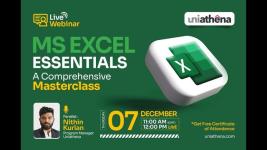
Ms Excel Essentials - From Basic To Advance
Published 5/2025
Created by Naoman Daulatabad
MP4 | Video: h264, 1280x720 | Audio: AAC, 44.1 KHz, 2 Ch
Level: All | Genre: eLearning | Language: English | Duration: 71 Lectures ( 8h 34m ) | Size: 6.43 GB
Learn Excel from Basics to Advanced: Formulas, Functions, Pivot Tables, Charts, Data Analysis & AI Tools
What you'll learn
Master Excel basics including interface, navigation, and data entry.
Format data effectively using text, number, and conditional formatting.
Use formulas, functions, and logical operators for powerful data analysis.
Create Pivot Tables and charts to summarize and visualize data easily.
Boost productivity using AI tools, automation tips, and smart Excel tricks.
Apply advanced Excel features like XLOOKUP, INDEX-MATCH, and data validation.
Requirements
No prior Excel knowledge is required - this course is designed for complete beginners.
A computer or laptop with Microsoft Excel installed (Excel 2016 or later recommended).
Basic computer skills such as using a mouse, keyboard, and navigating files.
Willingness to learn and practice with hands-on exercises and assignments.
Description
Master Microsoft Excel from the ground up with this comprehensive course designed for beginners, intermediate users, and professionals seeking to enhance their data skills. Whether you're new to Excel or aiming to boost your proficiency, this course covers everything from basic spreadsheet operations to advanced data analysis techniques.You'll start with an introduction to Excel's interface, navigation shortcuts, and essential features. Learn data entry, editing, and formatting (text, numbers, dates, and cells) with ease. Discover tools like conditional formatting, sorting, filtering, and data validation to organize your data effectively.Formulas and functions form a core part of the course, including logical, statistical, lookup, date/time, and text operations. Explore powerful Excel features such as Pivot Tables, charts, slicers, and advanced filtering. Advanced functions like INDEX, MATCH, SWITCH, and XLOOKUP are covered in detail.This course follows a scenario-based learning approach-before each new topic, you'll see real-world scenarios that explain the practical application of the concepts. This helps you understand not just the how, but the why behind every feature.You'll also learn to leverage AI tools and automation to boost productivity. Ideal for students, job seekers, professionals, and aspiring data analysts who want to gain confidence and real-world skills in Excel.
Who this course is for
Beginners who want to build a strong foundation in Microsoft Excel from scratch.
Aspiring Data Analysts and Data Scientists who want to strengthen their Excel skills for data manipulation and analysis.
Working professionals, business analysts, and managers who need to analyze and present data effectively.
Students, job seekers, and fresh graduates looking to improve their Excel skills for academic or professional use.
Homepage
Buy Premium From My Links To Get Resumable Support and Max Speed
You do not have permission to view the full content of this post. Log in or register now.
You do not have permission to view the full content of this post. Log in or register now.
You do not have permission to view the full content of this post. Log in or register now.
You do not have permission to view the full content of this post. Log in or register now.