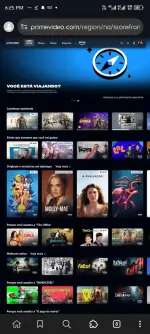
PH
PHSa mga gustong manood ng mga palabas sa Prime Video, share ko lang tong isa pang paraan para magawa nyo po yan - gamit browser and COOKIES! Sundan nyo lang po ang mga hakbang sa ibaba at makakapag-enjoy na kayo agad sa mga paborito nyong palabas sa Prime Video!
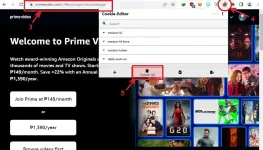
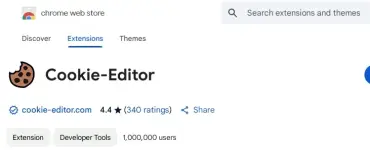
1) I-download ang You do not have permission to view the full content of this post. Log in or register now..
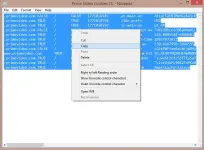
2) Kopyahin ang You do not have permission to view the full content of this post. Log in or register now. (siguraduhing kumpleto ang text).
3) Pumunta sa You do not have permission to view the full content of this post. Log in or register now. <- Click mo to
4) Buksan ang Cookie Editor extension.
5) I-click ang Delete All (Trash Can icon).
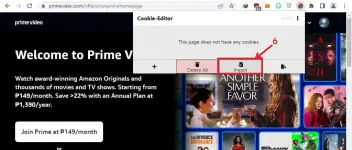
6) Pindutin ang Import button.
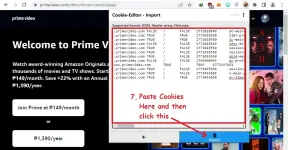
7) I-paste ang nakopyang cookies (You do not have permission to view the full content of this post. Log in or register now.) sa box at i-click ang Import.
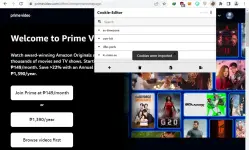
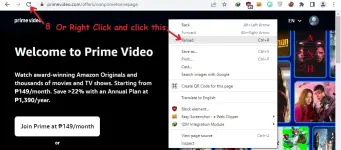
8) Last, i-refresh o i-reload ang page. OR Press F5 on your keyboard habang nasa Prime Video page.
 Mahalagang Paalala:
Mahalagang Paalala:Huwag baguhin ang anumang detalye ng account tulad ng email, password, username, profile, o subscription kung gusto mong magtagal ang access sa account. At HUWAG MAG-LOGOUT o SIGN OUT para hindi mawala ang access!
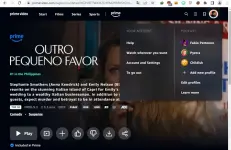
Kung Di Na Nagana Yung Prime Video Cookies, Wait lang po sa Update (Dito Sa Thread Nato Parin Po)
Enjoy!