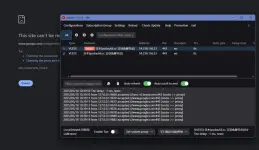
PH
PHSTEP 1.
download and extract V2rayN latest version and run the program V2ray.
You do not have permission to view the full content of this post. Log in or register now.
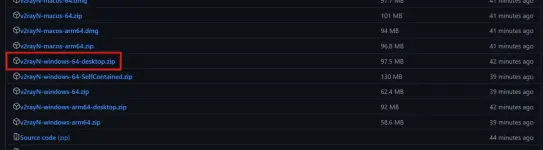
STEP 2.
copy paste this config sa empty space.
vless://ee6774c0-9b19-4ff1-8b30-2da4b71977e2@54.238.156.23:443?encryption=none&security=tls&sni=edccj.ambercc.filegear-sg.me&type=ws&host=edccj.ambercc.filegear-sg.me&path=%2F%3Fed%3D2560%26proxyip%3Dts.hpc.tw#%E6%97%A5%E6%9C%AC%28yudou66.cc%20%E7%8E%89%E8%B1%86%E5%85%8D%E8%B4%B9%E8%8A%82%E7%82%B9%29
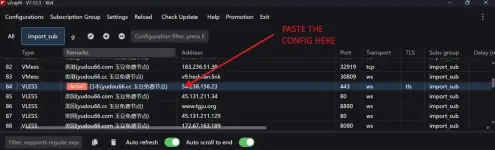
STEP 3.
right click the config and click set as active configuration or (Enter)
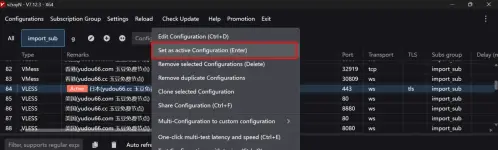
STEP 4.
then set system proxy sa bottom. Done!
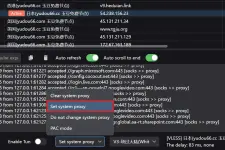
Enjoy your free Internet <3
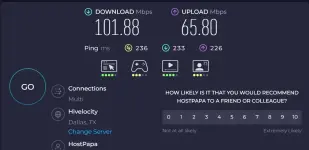
STEP 5
Copy paste nyo lahat sa space ng V2ray yung addional cofig below then press Ctrl+E for delay and speed test.
STEP 6
Then set as Active or Enter yung with Green result sa Delay. lower the number the better.
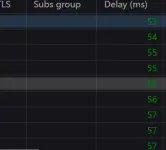
for Additional 2141 Configs Vpn. see Txt File name: 2141 Configs Uploaded. then Copy & Paste
download and extract V2rayN latest version and run the program V2ray.
You do not have permission to view the full content of this post. Log in or register now.
STEP 2.
copy paste this config sa empty space.
vless://ee6774c0-9b19-4ff1-8b30-2da4b71977e2@54.238.156.23:443?encryption=none&security=tls&sni=edccj.ambercc.filegear-sg.me&type=ws&host=edccj.ambercc.filegear-sg.me&path=%2F%3Fed%3D2560%26proxyip%3Dts.hpc.tw#%E6%97%A5%E6%9C%AC%28yudou66.cc%20%E7%8E%89%E8%B1%86%E5%85%8D%E8%B4%B9%E8%8A%82%E7%82%B9%29
STEP 3.
right click the config and click set as active configuration or (Enter)
STEP 4.
then set system proxy sa bottom. Done!
Enjoy your free Internet <3
STEP 5
Copy paste nyo lahat sa space ng V2ray yung addional cofig below then press Ctrl+E for delay and speed test.
STEP 6
Then set as Active or Enter yung with Green result sa Delay. lower the number the better.
for Additional 2141 Configs Vpn. see Txt File name: 2141 Configs Uploaded. then Copy & Paste
 kaya lang wala akong dc na pldt fibr
 maraming salamat po ulit sir