 PH
PHIObit Driver Booster 12 PRO is known as a powerful and easy-to-use driver updater that provides a one-click solution to rapidly and securely update outdated and faulty drivers and install the best-matched missing drivers not only for your device drivers but also for your game components. Its large driver database supports over 6 million devices and drivers from over 1200 major brands.
In addition to updating drivers, IObit Driver Booster is equipped with a range of valuable features, including driver backup and restore, fixing tools, an offline driver updater, and auto-update capabilities. Specifically, the driver backup and restore function safeguards your drivers by allowing backups and restorations in the event of data loss or when creating system restore points. The fixing tools address and resolve issues such as no sound, device errors, network failures, and poor resolution. The offline driver update feature enables drivers to be updated offline for systems without internet access. Additionally, the auto-update feature conveniently updates drivers while the system is idle, reducing disruptions.
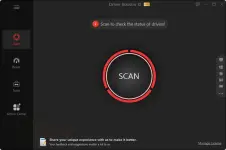
Key Features
Step. 1 - Download the IObit Driver Booster installer from IObit –> You do not have permission to view the full content of this post. Log in or register now.
Install it on your computer (do not install IObit recommendation apps):
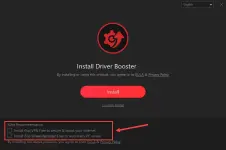
Step 2. Launch it, and use the license key to upgrade to the Pro version:
License key: 48411-95A9A-4E0D3-2844B (a 1-year subscription till Apr 18, 2026)
License key: 5C73B-C4EE4-4FE27-6E94B (a 1-year subscription till Apr 18, 2026)
License key: CE1D4-37404-042DF-A0F4B (a 1-year subscription till Apr 18, 2026)
License key: 997C6-BC861-11BC0-B274B (365+ days subscription till May 31, 2026)
License key: C3758-2C8F4-56E1D-2094B (a 1-year subscription till February 20, 2026)
License key: A1C91-92DF9-37F62-18BBB (a 6-month subscription till Nov 06, 2025)
In addition to updating drivers, IObit Driver Booster is equipped with a range of valuable features, including driver backup and restore, fixing tools, an offline driver updater, and auto-update capabilities. Specifically, the driver backup and restore function safeguards your drivers by allowing backups and restorations in the event of data loss or when creating system restore points. The fixing tools address and resolve issues such as no sound, device errors, network failures, and poor resolution. The offline driver update feature enables drivers to be updated offline for systems without internet access. Additionally, the auto-update feature conveniently updates drivers while the system is idle, reducing disruptions.
Key Features
- Automatically scan & identify outdated, missing & faulty drivers
- Download and update outdated drivers with one click
- Smaller driver package with the new driver compression algorithm
- Safer updating with qualified WHQL Drivers ONLY
- Unlock driver update speed limit
- Larger database to update more outdated & rare drivers
- Reduce system freezes & crashes for better performance
- Improved auto-download to accelerate download
- and more,…
Step. 1 - Download the IObit Driver Booster installer from IObit –> You do not have permission to view the full content of this post. Log in or register now.
Install it on your computer (do not install IObit recommendation apps):
Step 2. Launch it, and use the license key to upgrade to the Pro version:
License key: 48411-95A9A-4E0D3-2844B (a 1-year subscription till Apr 18, 2026)
License key: 5C73B-C4EE4-4FE27-6E94B (a 1-year subscription till Apr 18, 2026)
License key: CE1D4-37404-042DF-A0F4B (a 1-year subscription till Apr 18, 2026)
License key: 997C6-BC861-11BC0-B274B (365+ days subscription till May 31, 2026)
License key: C3758-2C8F4-56E1D-2094B (a 1-year subscription till February 20, 2026)
License key: A1C91-92DF9-37F62-18BBB (a 6-month subscription till Nov 06, 2025)