 PH
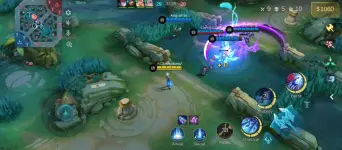
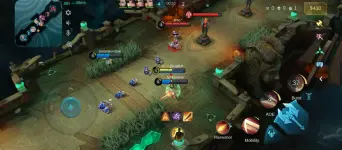
PHWorking Drone View (For Main and Smurf Accounts)
Gamit ko po ito sa Main at Smurf account ko—working sa lahat ng modes.
Hindi po ito nakaka-ban, pero nasa inyo pa rin kung gusto nyo subukan.
Wag po mag-hit and run, matuto po magpasalamat para naman ma-motivate akong mag-upload.
Copyright Disclaimer:
I do not own any files shared on this forum unless otherwise stated. All content is the property of its respective creators.
Gamit ko po ito sa Main at Smurf account ko—working sa lahat ng modes.
Hindi po ito nakaka-ban, pero nasa inyo pa rin kung gusto nyo subukan.
Wag po mag-hit and run, matuto po magpasalamat para naman ma-motivate akong mag-upload.
Copyright Disclaimer:
I do not own any files shared on this forum unless otherwise stated. All content is the property of its respective creators.
 Note:
Note:Para ito sa mga gumagamit ng Skin/Map Script.
Kapag na-install nyo na yung app, may ida-download pa itong resources (around 10%) — ibig sabihin, mawawala yung script na nilagay nyo.
Kailangan nyo ulit maglagay ng script pagkatapos ma-download ang resources.
 Tutorial:
- Piliin ang tamang app (64-bit o 32-bit) base sa specs ng cellphone nyo.
- Pagkatapos ma-download, open ZArchiver at i-locate ang APK file para ma-install.
32Bit: You do not have permission to view the full content of this post. Log in or register now.
64Bit: You do not have permission to view the full content of this post. Log in or register now.
 Para sa Drone View:
- I-locate ang downloaded file.
- Buksan ito at i-copy ang folder na "1063.3".
- I-paste sa:
com.mobile.legends>files>mini_patch [Paste here] - Done!
File Link: You do not have permission to view the full content of this post. Log in or register now.


