 PH
PHNextDNS Domains Analyzer (NDDA) basically po it analyze yung domains galing sa logs na gi paste niyo with 2 AIs para maganda ang decision and 1 custom AI specifically para ma tune ang answer. I recommend checking this first https://phcorner.org/threads/maximi...global-and-specific-to-apps-or-games.2283285/
Benefits
Cons
- Max of 50 domains and kailangan mag wait 5 minutes before next scan (low budget server haha, baka may maka donate).
- It takes a few minutes bago matapos mag analyze.
- I discovered hindi siya medyo accurate sa mga domains na medyo shortcut like rporttelmery.singapore.ng or something.
Problem:
Hahaaaha. Idol G O Z A R U
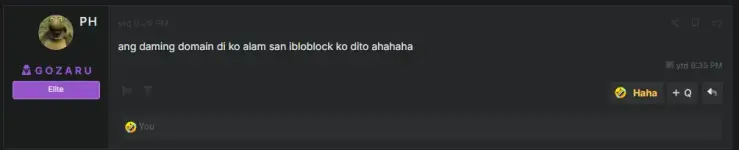
Solution:
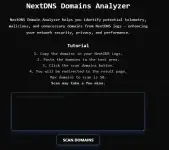
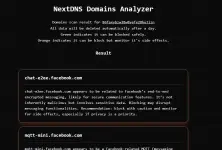
Let me know your thoughts with feedbacks. Para ma improve.
Visit You do not have permission to view the full content of this post. Log in or register now.
How to Use
Benefits
- Gives you insight sa domains.
- 3 checkings to ensure if G ba ma block yung domain o hindi.
- Optimized, Faster and Secure Internet
Cons
- Max of 50 domains and kailangan mag wait 5 minutes before next scan (low budget server haha, baka may maka donate).
- It takes a few minutes bago matapos mag analyze.
- I discovered hindi siya medyo accurate sa mga domains na medyo shortcut like rporttelmery.singapore.ng or something.
Problem:
Hahaaaha. Idol G O Z A R U
Solution:
Let me know your thoughts with feedbacks. Para ma improve.
Visit You do not have permission to view the full content of this post. Log in or register now.
How to Use
- Go to your NextDNS profile.
- Punta sa "Logs" section then click the refresh icon.
- Visit the mo yung app, game, program or whatever you want to optimize your network too or something.
- Copy mo lang lahat, literally. Don't worry automatic ma analyze yung domains only.
- Click Scan Domains.
- Wait for notification or message above button. Mabigyan ka ng link.