Hello! It seems like your Hisense smart TV is experiencing some issues with the remote control and the buttons not functioning properly after the TV hangs or freezes. Here are a few troubleshooting steps you can try to resolve the issue:
1. Restart the TV: Since you mentioned that some buttons work only after restarting the TV, try unplugging the TV from the power source, waiting for a few minutes, and then plugging it back in. This may help reset the system and fix any temporary glitches.
2. Check the Remote Control: Ensure that the batteries in the remote control are working properly. If the batteries are low, replace them with new ones and see if it improves the functionality of the remote control.
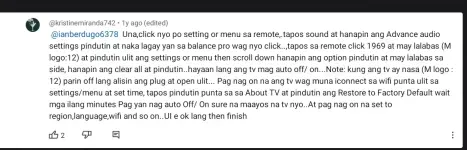
3. Reset the TV to Factory Settings: If the issue persists, you can try resetting the TV to its factory settings. This will delete all your settings and data, so make sure to back up any important information before proceeding. You can usually find the reset option in the TV's settings menu.
4. Update the TV Software: Make sure that your Hisense smart TV has the latest software updates installed. This can often fix bugs and improve the overall performance of the TV.
5. Contact Hisense Customer Support: If none of the above steps resolve the issue, it might be a hardware problem with the TV itself. In that case, it's best to contact Hisense customer support for further assistance or to inquire about repair options.
I hope these suggestions help you troubleshoot and resolve the issues with your Hisense smart TV. Let me know if you have any other questions or need further assistant
 PH
PH