 PH
PH
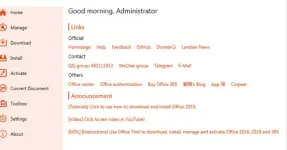
Features Of Office Tool Plus Terbaru
- Multi-version support
- Powerful customization – supports all elements of the Office Deployment Tool plus more enhancing features for a better experience
- Comprehensive office management platform with numerous useful and convenient features
- One-click generation configuration supports OTP the quickly generate XML files and deploy Office on other computers
- Always up to date
Supported Version
- MS Office 2016: Standard, Pro Plus, Mondo, Professional, Personal, Home Business, Home Student, O365 ProPlus, O365 Business, O365 Small Business, O365 Home Premium
- MS Office 2019: Standard, Pro Plus, Professional, Standard 2019 Volume, ProPlus 2019 Volume, Office 365, Home Business, Home Student.
- File Name: Office Tool Plus
- License Type: full_version
- Version: v10.21.35
-
- Supported Operating System: Windows 11, Windows 10, Windows 8.1, Windows 7.
- Required RAM: 2 Gigabytes RAM (4 GB recommended).
- Required Storage: 200 MB or more.
- Download dan ekstrak file “Office Tool Plus” ini.
- Buka folder hasil ekstrak, lalu jalankan aplikasi “Office Tool Plus” dengan cara klik kanan >> run as administrator.
- Klik “Yes” pada bagian License Agreement
- Jika anda ingin mendownload Office silahkan anda pilih Deploy.
- Jika anda ingin mengaktifkan office yang sudah terinstal di pc atau laptop anda, silahkan pilih “Activate”.
- Done.
You do not have permission to view the full content of this post. Log in or register now.