❓ Help How to remote a desktop if no monitor

Status
Not open for further replies.

Elcavz

Established
Using anydesk. I have 1 desktop and 1 laptop, now i want to remote my desktop (doesn't have monitor) using my laptop,
pero not working nag stuck lang sa "Waiting for image"
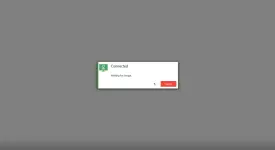
1744500955211.webp


May idea ba kayo jan mga idol? Or sino na yung naka experience ng ganitong scenario?

Your feedback is highly appreciated.
 
Solution
need mo talaga ng monitor kahit saglit lang pwede namang tv kahit saglit lang tapos install ka ng chrome remote desktop login gmail tas pwede mo na iremote online ng napaka dali, kahit cp gamit kaya pang control gamit yung chrome remote desktop
Hello! It seems like you are facing an issue with AnyDesk while trying to remote into your desktop without a monitor using your laptop. The "Waiting for image" message usually indicates that there might be a problem with the display settings or connection.

Here are a few troubleshooting steps you can try:

1. Check Display Settings:
- Make sure that the desktop's display settings are configured correctly. Sometimes, not having a monitor connected can cause display issues.
- Try setting the display resolution to a standard value that both devices support.

2. Restart AnyDesk:
- Close AnyDesk on both your desktop and laptop.
- Restart AnyDesk on both devices and try connecting again.

3. Verify Network Connection:
- Ensure that both your desktop and laptop are connected to the same network.
- Check for any firewall or security settings that might be blocking the connection.

4. Update AnyDesk:
- Make sure that you are using the latest version of AnyDesk on both devices. Updating the software can sometimes resolve compatibility issues.

5. Try a Different Remote Desktop Tool:
- If the issue persists, you can try using a different remote desktop tool like TeamViewer or Chrome Remote Desktop to see if the problem is specific to AnyDesk.

If none of the above steps work, it might be helpful to reach out to AnyDesk's support team for further assistance. They may be able to provide more specific guidance based on your setup and the error message you are encountering.

I hope this helps! Let me know if you have any other questions.
 
need mo talaga ng monitor kahit saglit lang pwede namang tv kahit saglit lang tapos install ka ng chrome remote desktop login gmail tas pwede mo na iremote online ng napaka dali, kahit cp gamit kaya pang control gamit yung chrome remote desktop
 
Solution
Chrome remote desktop din gamit ko sir. Log in mo lang account mo then install extension ni chrome remote, same din sa cp pwede mo na sya macontrol
thank you mga idol working! akala ko nung una, chrome lang pwde maremote kase need ko talaga buong desktop component maremote. medyo delay lang yung response pero solid working!
 
Status
Not open for further replies.

About this Thread

  • 5
    Replies
  • 601
    Views
  • 3
    Participants
Last reply from:
Elcavz

Trending Topics

Online now

Members online
994
Guests online
1,177
Total visitors
2,171

Forum statistics

Threads
2,273,112
Posts
28,947,677
Members
1,235,633
Latest member
ryumeijin
Back
Top