 PH
PHCodeCraftsman
Elite
Pixlr AI Art Photo Editor v3.6.8 build 36809 [Pro]
Requirements: 9.0+
Overview: Pixlr - a powerful and easy photo editing app. Unlock your creativity with Pixlr! Capture any moment and make it beautiful with over 2 million combinations of effects, overlays, and filters.
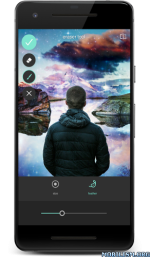
Unleash your creativity with Pixlr (formerly Pixlr E×ρréšš) – a free and easy photo editor.
No account creation required, just download and start editing.
Capture any moment and edit with over 2 million combinations of effects, overlays, and filters.
Share of your photos seamlessly with friends or followers through email, Instagram, Facebook, Twitter, or any social network.
Follow us on Instagram (@pixlr) for daily inspiration, tips, and tricks to make cool photo edits.
Show us your awesome edits, #madewithpixlr for a chance to be featured on our feed!
Features:
• Create photo collages easily with a variety of preset collages, grid style, customized ratio, and background.
• Instantly adjust the color of your photo in one easy click using Auto Fix.
• Use Double Exposure to create an array of effects easily with layers and adjustable transparency.
• Create cool photo effects using Stylize (pencil sketch, poster, watercolor and more).
• Effortlessly remove blemishes, red-eye, smoothen skin, or whiten teeth with simple tools.
• Bring out the color with Color Splash effect or add impact with Focal Blur.
• Choose from a range of effect packs to give your image the look and feel you want.
• Adjust the tone of the photo with overlays – amplify the tone, cool it down, or add surreal shades.
• Easily add text to your photos with a variety of fonts to choose from.
• Finish off your editing process with the right border - pick a style that suits you.
• Keep things fresh with our growing release of additional effects, overlays, and border packs.
• Keep track of your favorite effects and overlays with the Favorites button.
• Crop and resize images quickly and easily before saving.
We love hearing your ideas and feedback.
Follow us on Instagram (@pixlr), Twitter (@pixlr) or Facebook (/Pixlr).
For support or bug reporting, please reach out to us at info@pixlr.com.
★ PRO / ρáíd features Unlocked
★ Ads methods nullified
★ Ads visibility disabled
★ .source attributes of the corresponding java files removed
★ All Debug code removed
➡ Languages: Multi Languages
➡ Screen DPIs: 120dpi, 160dpi, 240dpi, 320dpi, 480dpi, 640dpi
What's New:
More & Bigger Updates Coming Soon!
This app has no advertisements
Mirror:
You do not have permission to view the full content of this post. Log in or register now.
You do not have permission to view the full content of this post. Log in or register now.You do not have permission to view the full content of this post. Log in or register now.
feedback po kung deads na link!!
Requirements: 9.0+
Overview: Pixlr - a powerful and easy photo editing app. Unlock your creativity with Pixlr! Capture any moment and make it beautiful with over 2 million combinations of effects, overlays, and filters.
Unleash your creativity with Pixlr (formerly Pixlr E×ρréšš) – a free and easy photo editor.
No account creation required, just download and start editing.
Capture any moment and edit with over 2 million combinations of effects, overlays, and filters.
Share of your photos seamlessly with friends or followers through email, Instagram, Facebook, Twitter, or any social network.
Follow us on Instagram (@pixlr) for daily inspiration, tips, and tricks to make cool photo edits.
Show us your awesome edits, #madewithpixlr for a chance to be featured on our feed!
Features:
• Create photo collages easily with a variety of preset collages, grid style, customized ratio, and background.
• Instantly adjust the color of your photo in one easy click using Auto Fix.
• Use Double Exposure to create an array of effects easily with layers and adjustable transparency.
• Create cool photo effects using Stylize (pencil sketch, poster, watercolor and more).
• Effortlessly remove blemishes, red-eye, smoothen skin, or whiten teeth with simple tools.
• Bring out the color with Color Splash effect or add impact with Focal Blur.
• Choose from a range of effect packs to give your image the look and feel you want.
• Adjust the tone of the photo with overlays – amplify the tone, cool it down, or add surreal shades.
• Easily add text to your photos with a variety of fonts to choose from.
• Finish off your editing process with the right border - pick a style that suits you.
• Keep things fresh with our growing release of additional effects, overlays, and border packs.
• Keep track of your favorite effects and overlays with the Favorites button.
• Crop and resize images quickly and easily before saving.
We love hearing your ideas and feedback.
Follow us on Instagram (@pixlr), Twitter (@pixlr) or Facebook (/Pixlr).
For support or bug reporting, please reach out to us at info@pixlr.com.
★ PRO / ρáíd features Unlocked
★ Ads methods nullified
★ Ads visibility disabled
★ .source attributes of the corresponding java files removed
★ All Debug code removed
➡ Languages: Multi Languages
➡ Screen DPIs: 120dpi, 160dpi, 240dpi, 320dpi, 480dpi, 640dpi
What's New:
- New features: Superscale, Colorize!
- Stability improvements
More & Bigger Updates Coming Soon!
This app has no advertisements
Mirror:
You do not have permission to view the full content of this post. Log in or register now.
You do not have permission to view the full content of this post. Log in or register now.You do not have permission to view the full content of this post. Log in or register now.
feedback po kung deads na link!!