 PH
PHMade by SxF
Journeyman
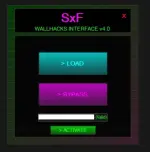
SXF LOADER FULL SOURCE WITH HWID VERIFICATION AND LOADER DATE EXPIRATION
CREATE YOUR OWN FILE SWAPPING LOADER
DOWNLOAD FULL SOLUTION .sln FILE BELOW INCLUDING PACKAGES AND quietus.dll, scr_001.sff file and runafterbypass.bat
Download
Guide to Customize and Build SxF Loader Wall V1
This guide helps you modify the SxF Loader Wall V1 to use your own modded files, HWID authentication, and expiration date. Follow these steps to customize and release your version.
Prerequisites
Visual Studio (2019 or later, free at visualstudio.microsoft.com).
Your custom files: quietus.dll, scr_001.sff, and optionally runAfterBypass.bat.
A Pastebin account for HWID list hosting.
1. Open the Project
Download the .sln and code files (Form1.cs, Form1.Designer.cs, HWID.cs, Program.cs).
Open SxF_Loader_Wall_V1.sln in Visual Studio.
2. Change the Expiration Date
Open Form1.cs.
Find: private DateTime expirationDate = new DateTime(2025, 04, 30);.
Change to your desired date, e.g., new DateTime(2026, 12, 31); for Dec 31, 2026.
To disable expiration, comment out: // CheckExpiration(); in the Form1 constructor.
Save the file.
3. Add Your Custom Files as Resources
Prepare your modded files: quietus.dll, scr_001.sff, and optionally runAfterBypass.bat.
In Visual Studio:
Go to Solution Explorer > Right-click project (SxF_Loader_Wall_V1) > Properties > Resources tab.
Click Add Resource > Add Existing File.
Add:
quietus.dll (becomes quietus in resources).
scr_001.sff (becomes scr_001).
runAfterBypass.bat (becomes runAfterBypass, if used).
The loader uses these resources:
quietus.dll → Written to C:\Program Files (x86)\SpecialForce Rush\quietus.dll on LOAD.
scr_001.sff → Written to C:\Program Files (x86)\SpecialForce Rush\data\scr\scr_001.sff on LOAD.
runAfterBypass.bat → Written to %TEMP%\runAfterBypass.bat and run on BYPASS.
4. Update the HWID URL
Create a Pastebin (e.g., at pastebin.com):
List valid HWIDs (one per line).
To test, run the loader (press F5), copy the HWID from txtHWID, and add it to the list.
Copy the raw URL (e.g., You do not have permission to view the full content of this post. Log in or register now.).
In Form1.cs:
Find: private string hwidPastebinUrl = "You do not have permission to view the full content of this post. Log in or register now.";.
Replace with your raw URL, e.g., private string hwidPastebinUrl = "You do not have permission to view the full content of this post. Log in or register now.";.
Save the file.
5. Build and Test
Click Build > Build Solution (or Ctrl+Shift+B).
Find the output in bin\Release (or bin\Debug):
SxF_Loader_Wall_V1a.xe: The main loader executable, which includes Newtonsoft.Json merged into it (used for parsing internet time).
SxF_Loader_Wall_V1.exe (in Debug mode only): A Visual Studio hosting process for debugging, not needed for release. Ignore or delete it.
Note: Only distribute SxF_Loader_Wall_V1a.exe bin\Release. The merging of Newtonsoft.Json ensures no separate DLL is required.sd
Test the loader:
Run SxF_Loader_Wall_V1.exe as Administrator.
Click ACTIVATE to verify HWID (should turn green if valid).
Click LOAD to copy quietus.dll and scr_001.sff to the game folder.
Click BYPASS to restore files and run runAfterBypass.bat (if added).
Ensure the game folder (C:\Program Files (x86)\SpecialForce Rush) exists.
6. Release Your Loader
Share the bin\Release\SxF_Loader_Wall_V1.exe (ZIP it for convenience).
Provide a simple guide for users:
How to Use My Loader
1. Run as Administrator.
2. Copy HWID and contact [your info] for access.
3. Click ACTIVATE, then LOAD to mod the game.
4. Use BYPASS to undo changes.