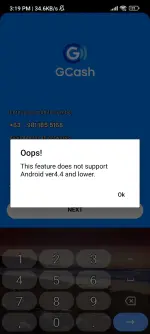
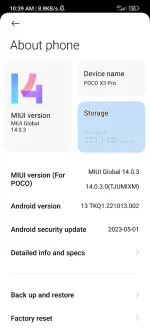
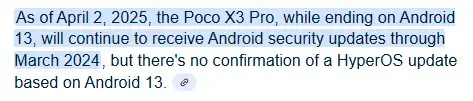
Hello! I'm sorry to hear about the trouble you're experiencing with your GCash account. Based on the error message you provided, it seems like there might be an issue with the GCash app on your Poco X3 Pro phone. Here are some steps you can try to resolve the issue:
1. Update GCash App: Make sure that you have the latest version of the GCash app installed on your phone. You can check for updates on the Google Play Store.
2. Clear Cache and Data: Go to your phone's settings, then to the application manager or apps section. Find the GCash app, tap on it, and then select "Clear Cache" and "Clear Data". This will remove any temporary files or data that might be causing the issue.
3. Reinstall GCash App: If clearing the cache and data didn't work, try uninstalling the GCash app and then reinstalling it from the Google Play Store.
4. Check Internet Connection: Ensure that you have a stable internet connection while using the GCash app. Try switching between Wi-Fi and mobile data to see if that helps.
5. Contact GCash Support: If the issue persists, you can reach out to GCash customer support for further assistance. They may be able to provide specific troubleshooting steps or insights into the problem.
I hope one of these steps helps you resolve the issue and regain access to your GCash account. Let me know if you need further assistance!
 PH
PH