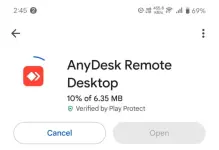
Good afternoon! It's great that you're doing your research and being cautious before proceeding with the openline and IMEI change process for your ZLT S10G 2.00. Here are some considerations regarding installing Anydesk for Android and allowing remote access to your device:
1. Safety of Anydesk: Anydesk is a legitimate remote desktop application that allows users to access and control devices remotely. As long as you download it from a reputable source like the Google Play Store, it should be safe to use. However, be cautious of granting permissions and access to unknown individuals or services.
2. Remote Access: Allowing remote access to your device poses some risks, especially if it's done by someone you don't know or trust. While it may be necessary for the openline process, make sure you understand what actions the person will take on your device and ensure they are reputable and trustworthy.
3. Research the Service Provider: Since you mentioned that the service provider looks legitimate on Facebook, it's good to check for reviews, recommendations, or feedback from other users who have used their services. This can help you gauge their trustworthiness and reliability.
4. Follow-Up Security Measures: After the openline process is complete, consider changing your device's passwords and security settings to ensure your data and privacy are protected.
5. Step-by-Step Tutorial: If you're having trouble finding a step-by-step tutorial for openlining your device, reaching out to knowledgeable individuals or services for assistance is a good idea. Just make sure to verify their credentials and ensure they are reputable in the field.
Ultimately, the decision to install Anydesk and proceed with the openline process is yours to make. Just remember to prioritize your privacy and security throughout the process. If you have any more questions or need further assistance, feel free to ask!
 PH
PH