PH
PHTheManWhoCantBeMoved
Elite
 Teneo Dashboard Update – New Features & Fixes!
Hey Everyone!
 We’ve made several improvements to enhance your experience on the Teneo dashboard. Here’s what’s new:
 Change Linked Wallet Feature
We’ve rolled out the Change Linked Wallet feature for users who have not yet performed any actions with their linked wallet (such as creating a Smart Account or Machine ID and performing the "Engage with Teneo on 𝕏" or "Connect to #forbidden#" verification tasks).
How It Works:
If your account is eligible to change the linked wallet, you’ll find a dedicated button in your profile next to your currently linked wallet.
 Disconnect the currently connected wallet using the button in your profile.
 Open MetaMask and switch to the wallet you want to link to your Teneo account.
 Connect MetaMask and the Teneo dashboard using the button provided.
 Confirm the change and sign the signature request in MetaMask.
Reminder: The linked wallet can only be changed once, so make sure you select the correct wallet before confirming.
 Telegram Verification Added!
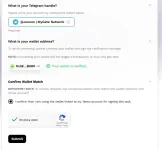
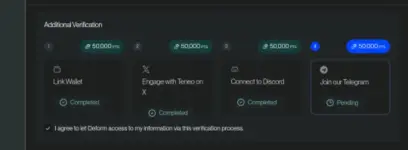
Your Teneo dashboard just got an upgrade. Telegram is now an additional verification task.
Why does this matter?
 Extra layer of verification Seamless integration with your dashboard Never again miss any updates
And yes, you earn points!
Just like with 𝕏 and #forbidden#, linking Telegram in the Rewards section gets you 50,000 points.
 Updated Wallet Linking Requirement
The wallet linking task now requires 100 heartbeats (HB) before it can be performed. This helps ensure users are actively engaged before securing rewards.
 Check out the updates now on your dashboard!
  You do not have permission to view the full content of this post.
Log in or register now.
You do not have permission to view the full content of this post.
Log in or register now.Let us know if you have any questions or feedback.