PH
PH
Rich (BB code):
🎬 Plex Server Rules & Playback Guide
Welcome! Please follow these simple rules for smooth streaming.
— Kotoko
✅ Rules & Access
1. 20 Stream Limit: Max 20 simultaneous Direct Play streams (server supports 100+ but limited for now).
2. 🚫 Transcoding Disabled: Only Direct Play is allowed. Attempting to transcode = auto-kick.
3. 💻 Supported Devices:
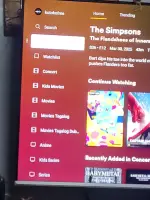
- ✔ Smart TVs, PCs, Laptops (Plex app only)
- ✘ Phones/tablets (allowed for supporters only, iOS 16+ required)
4. 🛠️ Playback Issues? Send the movie/show title.
🐞 Errors? Send a screenshot or screen recording.
🎞️ Content & Format
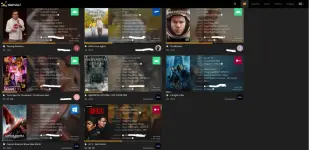
• Mostly WEB-DL, BluRay, dvdrïρ — great quality
• Occasionally CAMRips (if no official version is available)
• Encoded in x265 (HEVC) for high quality + small size
⚙️ Recommended Settings
• Enable “Direct Play” in Plex app
• Set quality to Original or Maximum
• Use Wi-Fi, not mobile data
👉 You do not have permission to view the full content of this post.
Log in or register now.
❓ Frequently Asked Questions
Q: “Unable to play media”?
A: Too many users. Wait for a slot.
Q: Can I request content?
A: Yes! Send the title + year (or IMDb/TMDb link).
Q: Video stuck at 100% loading?
A: Your device may be trying to transcode. Use Direct Play and ensure HEVC support.
Q: Why was I kicked?
A: You were likely transcoding or using an unsupported device/app.
Q: Can I stream in a browser?
A: ✘ No. Browsers are blocked. Use the Plex app.
Q: What formats are used?
A: Mostly x265 (HEVC). Make sure your device supports it.
Q: Can I use mobile data?
A: ✘ Avoid it — often causes issues or forced transcoding.
Q: Unsure if your device supports HEVC?
A: Google your device model + “HEVC Direct Play support.”
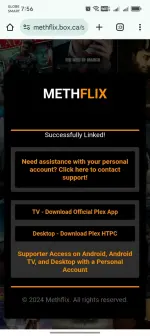
🎥 Enjoy the stream! 🍿Enter Your Plex TV Code Here

 .
.