PH
PHChococakelover
Established
Partofdream AutoDaily
A Python automation script to perform daily check-in and spin tasks on Dreamer Quests for multiple accounts. The script supports assigning individual proxies per account and automatically retries tasks (with proxy switching) if an error occurs.
Register
- You do not have permission to view the full content of this post. Log in or register now.
- Use my code: 65da3b06
Features
Prerequisites
-
-
Setup
1. Clone this repository:
2. Install requirements:
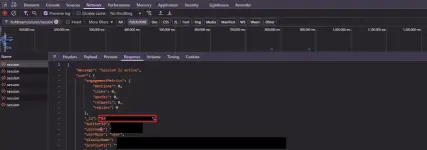
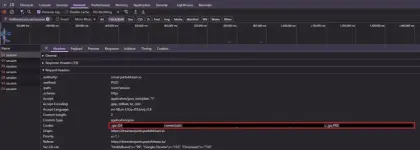
2. Configure Accounts:
Open
3. Configure Proxies (Optional):
Open
Note: If you do not supply a
Usage
Run the script with:
The script will:
Troubleshooting
- Proxy Errors:
If a proxy error occurs, the script will automatically switch to a different proxy from your
- Task Failures:
If tasks continue to fail, ensure that your account cookies are up-to-date and that your proxies (if used) are working properly.
Notes
Use at your own risk, all risk are borne with the user.
A Python automation script to perform daily check-in and spin tasks on Dreamer Quests for multiple accounts. The script supports assigning individual proxies per account and automatically retries tasks (with proxy switching) if an error occurs.
Register
- You do not have permission to view the full content of this post. Log in or register now.
- Use my code: 65da3b06
Features
- Multi-Account Support: Use a single script to automate tasks for multiple accounts.
- Proxy Support: Assign a unique proxy per account via a
proxies.txtfile. - Automatic Retrying: If a task fails, the script retries up to three times and switches proxies if available.
- Status Reporting: Displays account details (display name, points, IP used) and task outcomes with friendly messages.
- Scheduled Execution: Repeats the entire process every hour until stopped.
Prerequisites
- Python Latest
- Required Python packages:
requests-
colorama-
scheduleSetup
1. Clone this repository:
Code:
git clone https://github.com/kelliark/DreamerQuests-AutoBot
cd DreamerQuests-AutoBot
Code:
pip install -r requirements.txtOpen
accounts.txt file in the project directory. Each line should follow this format:
Code:
userid:cookieOpen
proxies.txt file in the project directory. Each line should be a proxy in the following format:
Code:
protocol://username:password@ip:portproxies.txt file or if it's empty, the script will run without any proxies.Usage
Run the script with:
Code:
python main.pyThe script will:
- Display a banner and account status (display name, points, and current IP used).
- Perform daily check-in and spin tasks for each account.
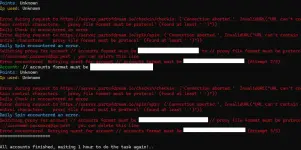
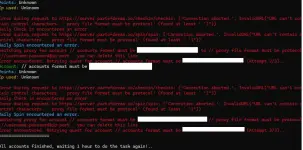
- Print friendly messages indicating whether the tasks were successful or already completed, along with a countdown for the next attempt.
- Retry tasks up to three times in case of errors (switching proxies if available).
- Wait one hour before repeating the process.
Troubleshooting
- Proxy Errors:
If a proxy error occurs, the script will automatically switch to a different proxy from your
proxies.txt file (if available) and retry the task.- Task Failures:
If tasks continue to fail, ensure that your account cookies are up-to-date and that your proxies (if used) are working properly.
Notes
Use at your own risk, all risk are borne with the user.