PH
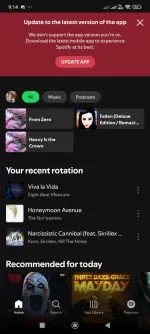
PH Spotify playlist problem fix guide
1) Note:How To Fix Spotify Login error:
Just Reset password manually
2) How to Fix Playlist not showing?
Setp-1: Please Connect to USA or any VPN server where Spotify available
step-2: Clear app data>go to Spotify website>Login> Now select view profile> Edit Profile> Now You can see country settings > Change to USA or VPN server u choosen if it shows> if not shows then wait sometime & Try again while u connected to VPN> now login to Spotify mod and it works.
Please Use VPN while listening to music 1 or 2 days and later open Spotify official website without connecting to VPN and change country settings to your official one and it works normaly without VPN…
- Hotfix released, fixed playback, playlist, lyrics errors. Please download again and update (if unable to install, uninstall and reinstall.)
- Only works when logged in with email and Facebook.
50/50 chance na gumana to sa inyo .. . pa try na lang..
para po d kau mag expect..
f ayaw naman gumana, try nyo gumamit ng VPN tapos choose country: USA
tapos clear data sa app, then i-open nyo ulit.. ( d din to 100% fix) ..
nway wla naman masama f susubukan nyo..
Please click the link below for the latest version
Android App - Spotify v9.0.28.246 MOD APK
Pa-react lang, sapat na..
follow me:
POPiO