 PH
PHChococakelover
Established
MyGate Network BOT
Features
- Auto Register Node If Don't Have
- Auto Claim Daily Check-In
- Auto Complete Social Media and Ambassador Tasks
- Auto Connect and Reconnect Websocket
- Support Running Multi Node Each Accounts If Use Proxy
- Only Running 1 Node If Run Without Proxy
- Multi Accounts With Threads
Requiremnets
- Make sure you have Python3.9 or higher installed and pip.
Instalation
1. Clone The Repositories:
2. Install Requirements:
Configuration
- tokens.txt: You will find the file
- proxy.txt: You will find the
Run
Tips How To Get New Node
1. Delete MyGate's Extension
2. Re-Download MyGate's Extension
3. Login in MyGate's Extension With Your Accounts
4. Done. Check Node List Page in MyGate Dashboard
Note: if it doesn't increase, it's usually because of restrictions. try again later. Use at your own risk, all risk are borne with the user.
- Register Here : You do not have permission to view the full content of this post. Log in or register now.
- Use Code : nN7gPr
Features
- Auto Register Node If Don't Have
- Auto Claim Daily Check-In
- Auto Complete Social Media and Ambassador Tasks
- Auto Connect and Reconnect Websocket
- Support Running Multi Node Each Accounts If Use Proxy
- Only Running 1 Node If Run Without Proxy
- Multi Accounts With Threads
Requiremnets
- Make sure you have Python3.9 or higher installed and pip.
Instalation
1. Clone The Repositories:
Code:
git clone https://github.com/vonssy/MyGate-BOT.git
Code:
cd MyGate-BOT2. Install Requirements:
Code:
pip install -r requirements.txtConfiguration
- tokens.txt: You will find the file
tokens.txt inside the project directory. Make sure tokens.txt contains data that matches the format expected by the script. Here are examples of file formats:
Code:
eyjxxxxx1
eyjxxxxx2proxy.txt file in the project directory. Make sure proxy.txt contains data that matches the format expected by the script. Here are examples of file formats:
Code:
ip:port # Default Protcol HTTP.
protocol://ip:port
protocol://user:pass@ip:port
Run
Code:
python bot.pyTips How To Get New Node
1. Delete MyGate's Extension
2. Re-Download MyGate's Extension
3. Login in MyGate's Extension With Your Accounts
4. Done. Check Node List Page in MyGate Dashboard
Note: if it doesn't increase, it's usually because of restrictions. try again later. Use at your own risk, all risk are borne with the user.
 easy isn't it?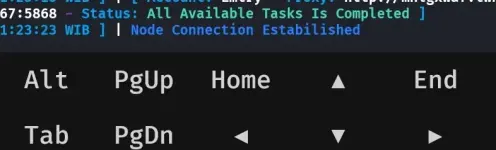

 ass
ass