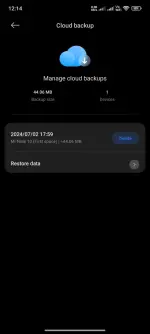
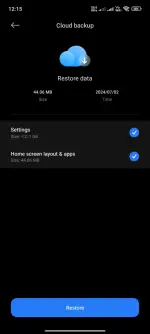
It's possible that the Xiaomi 14T you purchased at the mall was previously owned by someone who had a Mi Note 10. When you bought the phone, it may not have been properly reset to factory settings, leading to the cloud backup still showing the device settings from the previous owner's Mi Note 10.
To resolve this issue, you can try resetting your Xiaomi 14T to its factory settings. This will erase all data on the phone and remove any existing cloud backups associated with the Mi Note 10. After the reset, you can set up the phone with your own account and create a new cloud backup for your device settings.
If you continue to experience issues or if the problem persists, you may want to contact Xiaomi customer support for further assistance. They should be able to help you troubleshoot the issue and ensure that your Xiaomi 14T is functioning correctly without any remnants of the previous owner's device settings.
 PH
PH